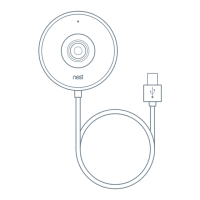
The app will begin installation steps.
Tip: If you’re having trouble scanning the code, make sure you have good lighting and that
you’re not casting a shadow on the code.
You can also, tap Continue Without Scanning and type in the characters at the top of the QR
code.
4. Skip the app instructions
When you get to this step, tap Skip.
Then follow the instructions in this article to install Hello with the Indoor
Power Adapter. You’ll come back to the app instructions later.
5. Check if you need to use the wedge
You can use the included wedge if you’re installing Hello in a
corner, or you simply want to change the viewing angle a bit.
Stick the wedge onto the wall plate with the adhesive strips.
Make sure you install the wedge the right way
● You can flip the wedge to angle the camera in the
opposite direction.
● The horizontal screw hole on the wall plate should be
on the bottom.


 To Next Page