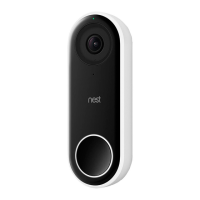
Optional: Connect Hello to Google Assistant
You can have a Google Home, Google Home Hub, or other device with Google Assistant
built-in, sound a chime and announce visitors when they ring the doorbell.
1. Change Nest app settings
1. Tap your Hello on the Nest app home screen. Then tap Settings .
2. Make sure that the Indoor chime On/Off option is set to off.
3. Set Visitor announcements to on.
2. Set up your device with Google Assistant
If you haven’t already, use the Google Home app to set up your Google Home Hub or other
device with Google Assistant built-in. Just plug it in, open the Google Home app and follow
the app’s instructions.
3. Connect Hello to the Google Home app
1. Open the Google Home app and tap Add, then Set up device.
2. Select Have something already set up? and choose Nest from the list.
3. Follow the app’s instructions.
4. Run a quick test
Press the doorbell and you should hear the bell sound and a spoken alert that someone’s at
the door. If you have a Google Home Hub, you’ll also see Hello’s live video stream on the Hub’s
screen.


 To Previous Page