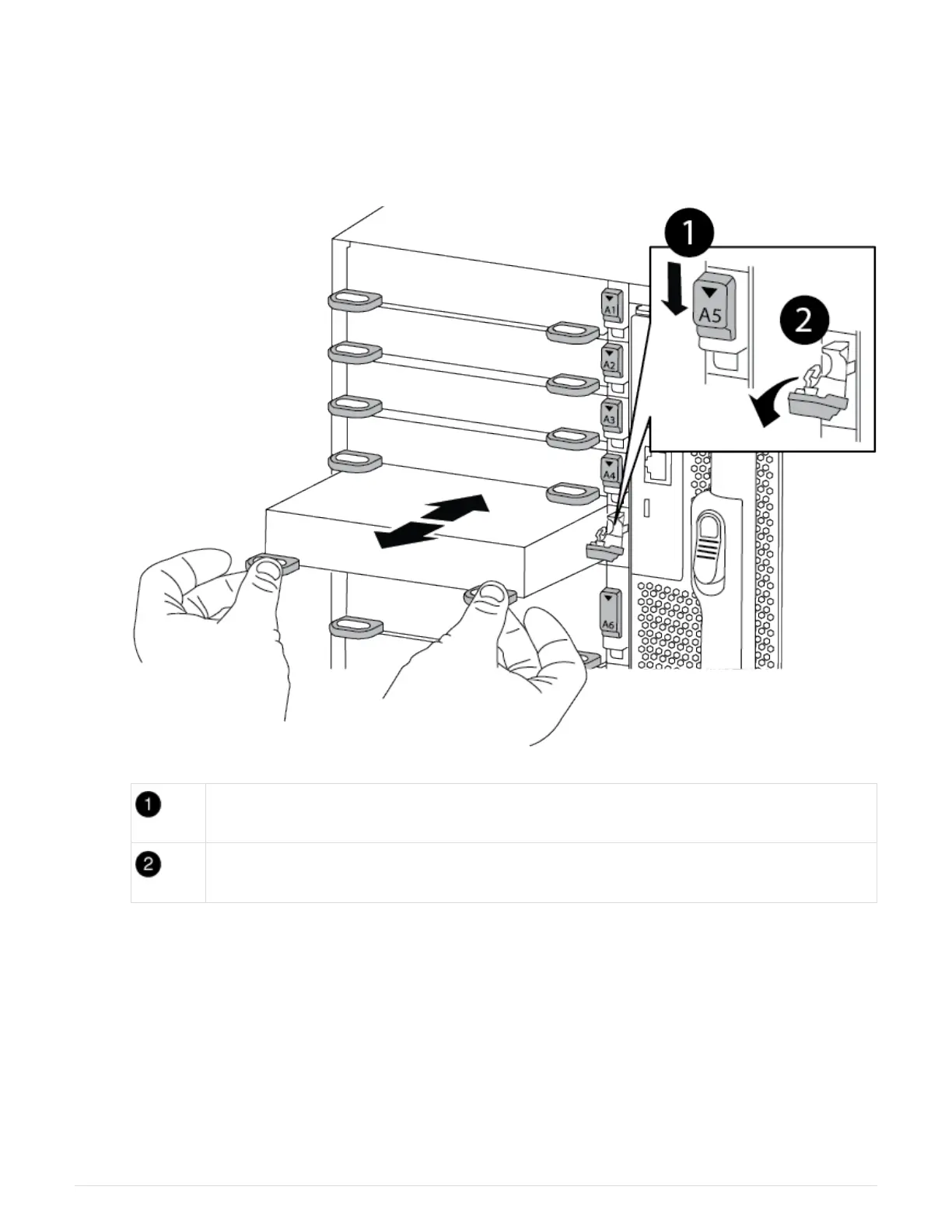
c. Remove the I/O module from the chassis by pulling on the pull tabs on the sides of the module face.
Make sure that you keep track of which slot the I/O module was in.
Animation—Remove/install I/O module
Lettered and numbered I/O cam latch
I/O cam latch completely unlocked
4. Set the I/O module aside.
5. Install the replacement I/O module into the chassis by gently sliding the I/O module into the slot until the
lettered and numbered I/O cam latch begins to engage with the I/O cam pin, and then push the I/O cam
latch all the way up to lock the module in place.
6. Recable the I/O module, as needed.
Step 3: Reboot the controller after I/O module replacement
After you replace an I/O module, you must reboot the controller module.
1127



 To Next Page