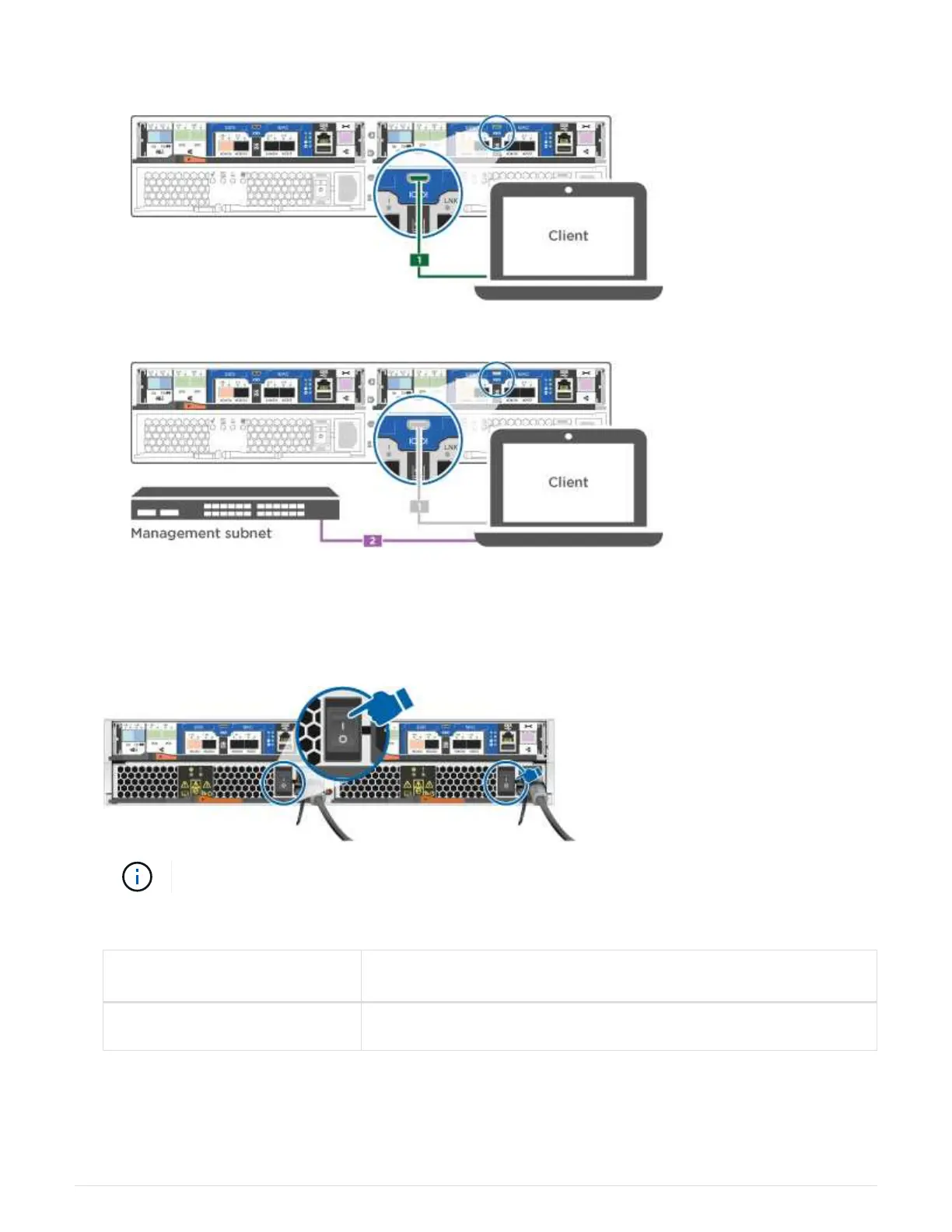
b. Connect the console cable to the laptop or console, and connect the console port on the controller
using the console cable that came with your system.
c. Connect the laptop or console to the switch on the management subnet.
d. Assign a TCP/IP address to the laptop or console, using one that is on the management subnet.
2. Plug the power cords into the controller power supplies, and then connect them to power sources on
different circuits.
3. Turn on the power switches to both nodes.
Initial booting may take up to eight minutes..
4. Assign an initial node management IP address to one of the nodes.
If the management network has
DHCP…
Then…
Configured Record the IP address assigned to the new controllers.
14



 To Next Page