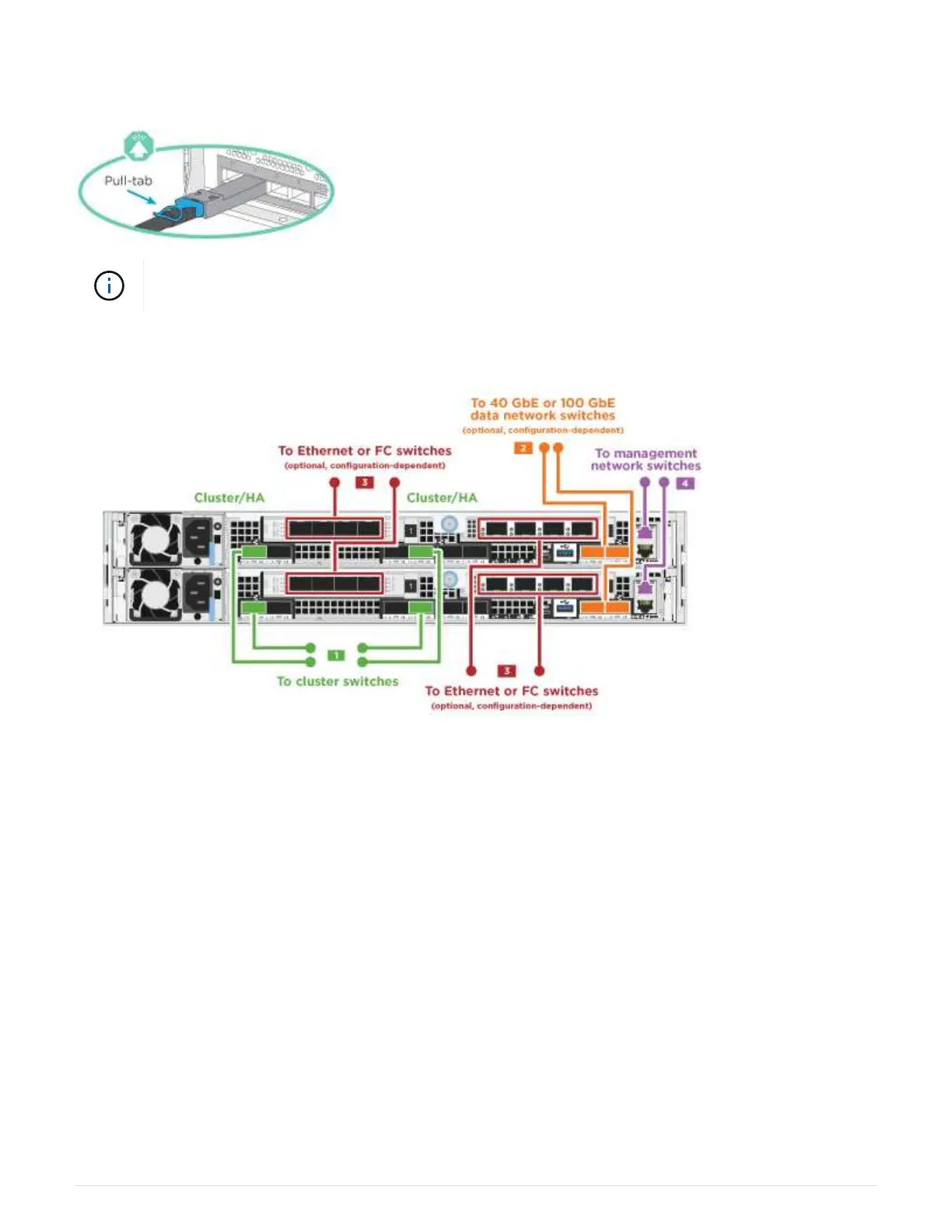
switches.
Be sure to check the illustration arrow for the proper cable connector pull-tab orientation.
As you insert the connector, you should feel it click into place; if you do not feel it click, remove
it, turn it around and try again.
1. You can used the illustration or the step-by step instructions to complete the cabling between the
controllers and to the switches:
493



 To Next Page