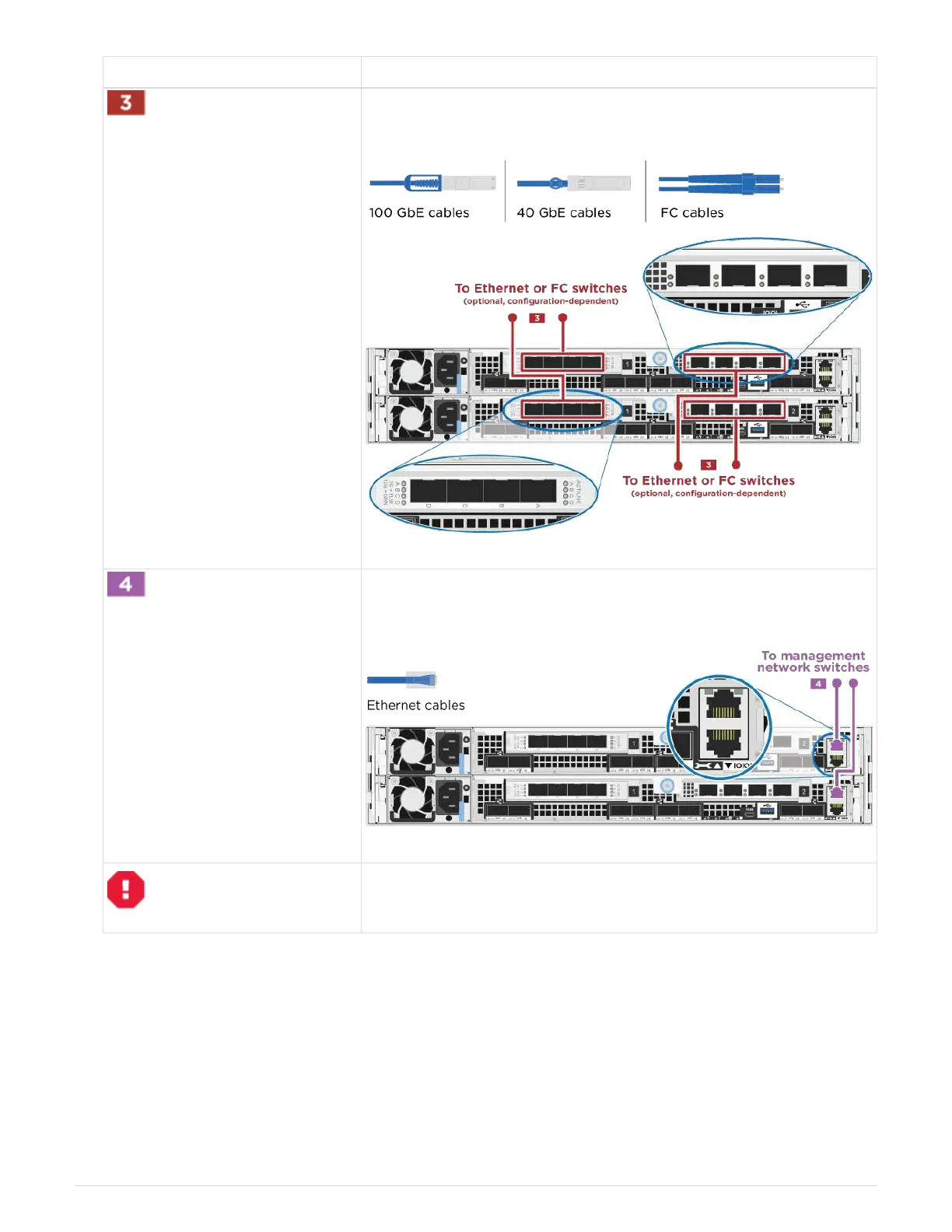
Step Perform on each controller module
If you are using your NIC cards for Ethernet or FC connections,
connect the NIC card(s) to the appropriate switches:
Cable the e0M ports to the management network switches with the
RJ45 cables.
DO NOT plug in the power cords at this point.
2. Cable your storage:
Cabling controllers to drive shelves
Option 2: Cabling a switched cluster
The optional data ports, optional NIC cards, and management ports on the controller
modules are connected to switches. The cluster interconnect/HA ports are cabled on to
the cluster/HA switch.
You must have contacted your network administrator for information about connecting the system to the
492



 To Next Page