b. Rotate the boot media down toward the motherboard.
c. Secure the boot media to the motherboard using the boot media screw.
Do not over-tighten the screw or you might damage the boot media.
Step 5: Move the fans
You must move the fans from the impaired controller module to the replacement module when replacing a
failed controller module.
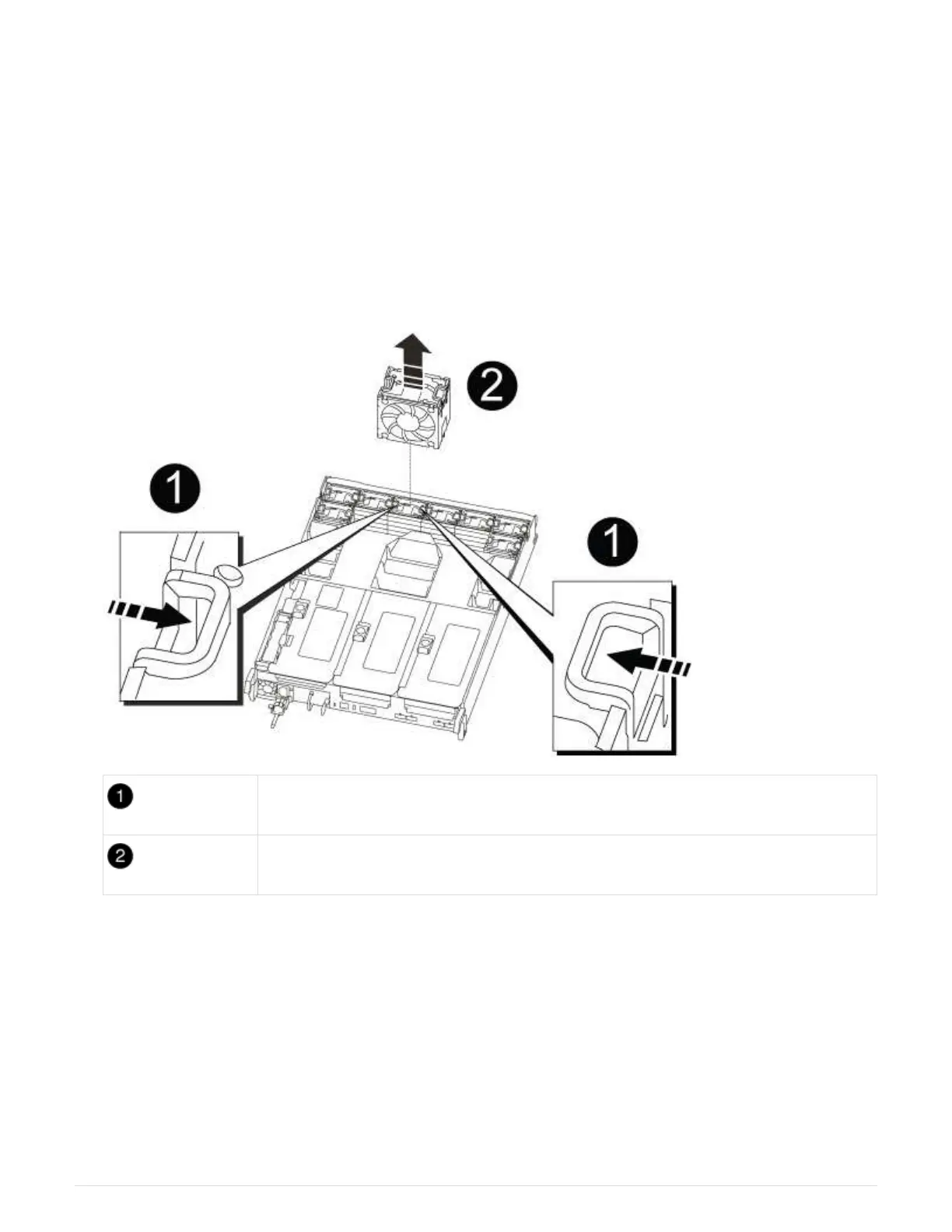
1. Remove the fan module by pinching the locking tabs on the side of the fan module, and then lifting the fan
module straight out of the controller module.
Fan locking tabs
Fan module
2. Move the fan module to the replacement controller module, and then install the fan module by aligning its
edges with the opening in the controller module, and then sliding the fan module into the controller module
until the locking latches click into place.
3. Repeat these steps for the remaining fan modules.
Step 6: Move system DIMMs
To move the DIMMs, locate and move them from the impaired controller into the
replacement controller and follow the specific sequence of steps.
1. Locate the DIMMs on your controller module.
876



 To Next Page