+
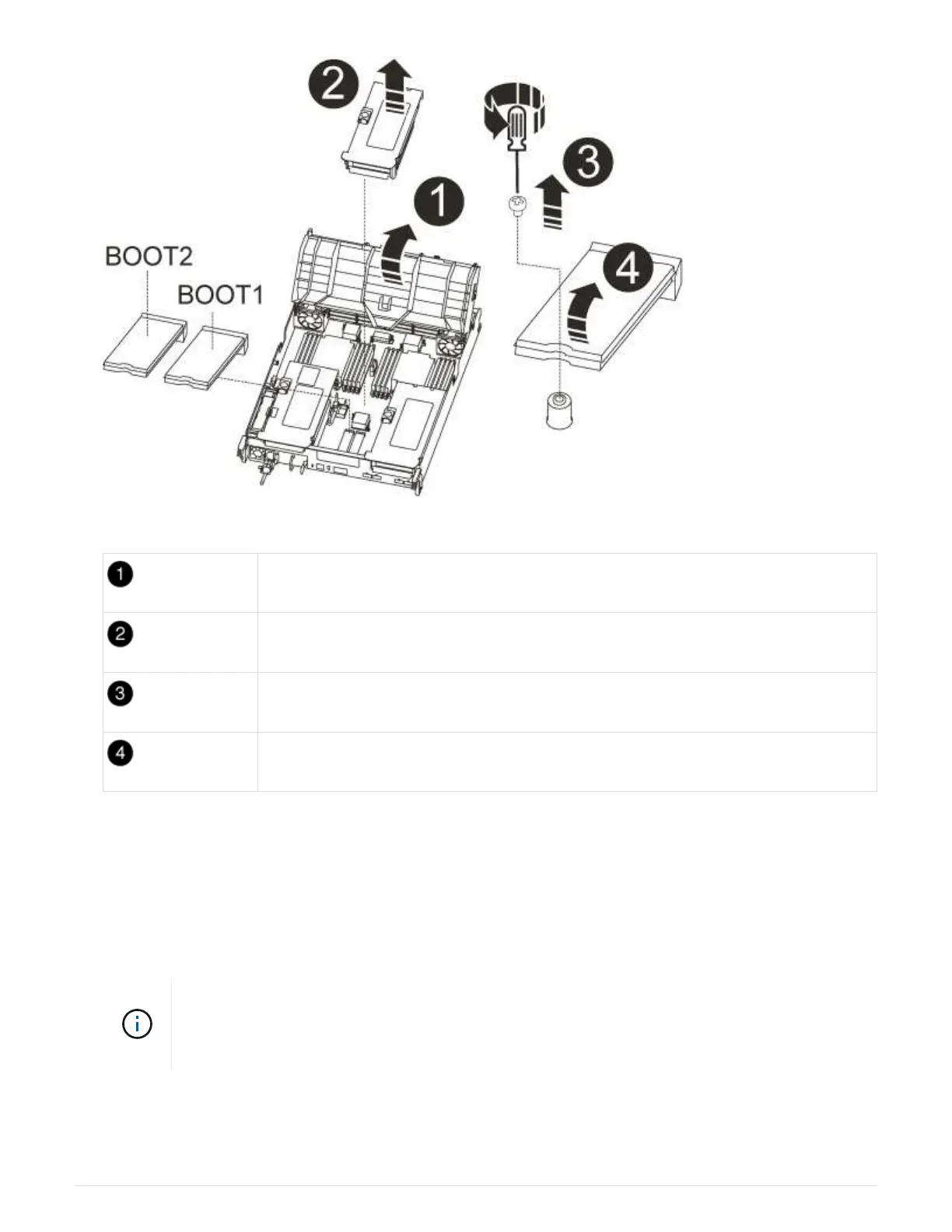
Air duct
Riser 2 (middle PCIe module)
Boot media screw
Boot media
2. Remove the boot media from the controller module:
a. Using a #1 Phillips head screwdriver, remove the screw holding down the boot media and set the screw
aside in a safe place.
b. Grasping the sides of the boot media, gently rotate the boot media up, and then pull the boot media
straight out of the socket and set it aside.
3. Move the boot media to the new controller module and install it:
Install the boot media into the same socket in the replacement controller module as it was
installed in the impaired controller module; primary boot media socket (slot 1) to primary
boot media socket, and secondary boot media socket (slot 2) to secondary boot media
socket.
a. Align the edges of the boot media with the socket housing, and then gently push it squarely into the
socket.
875



 To Next Page