Step 7: Install the NVRAM module
To install the NVRAM module, you must follow the specific sequence of steps.
1. Install the riser into the controller module:
a. Align the lip of the riser with the underside of the controller module sheet metal.
b. Guide the riser along the pins in the controller module, and then lower the riser into the controller
module.
c. Swing the locking latch down and click it into the locked position.
When locked, the locking latch is flush with the top of the riser and the riser sits squarely in the
controller module.
d. Reinsert any SFP modules that were removed from the PCIe cards.
Step 8: Move the NVRAM battery
When replacing the controller module, you must move the NVRAM battery from the impaired controller module
to the replacement controller module
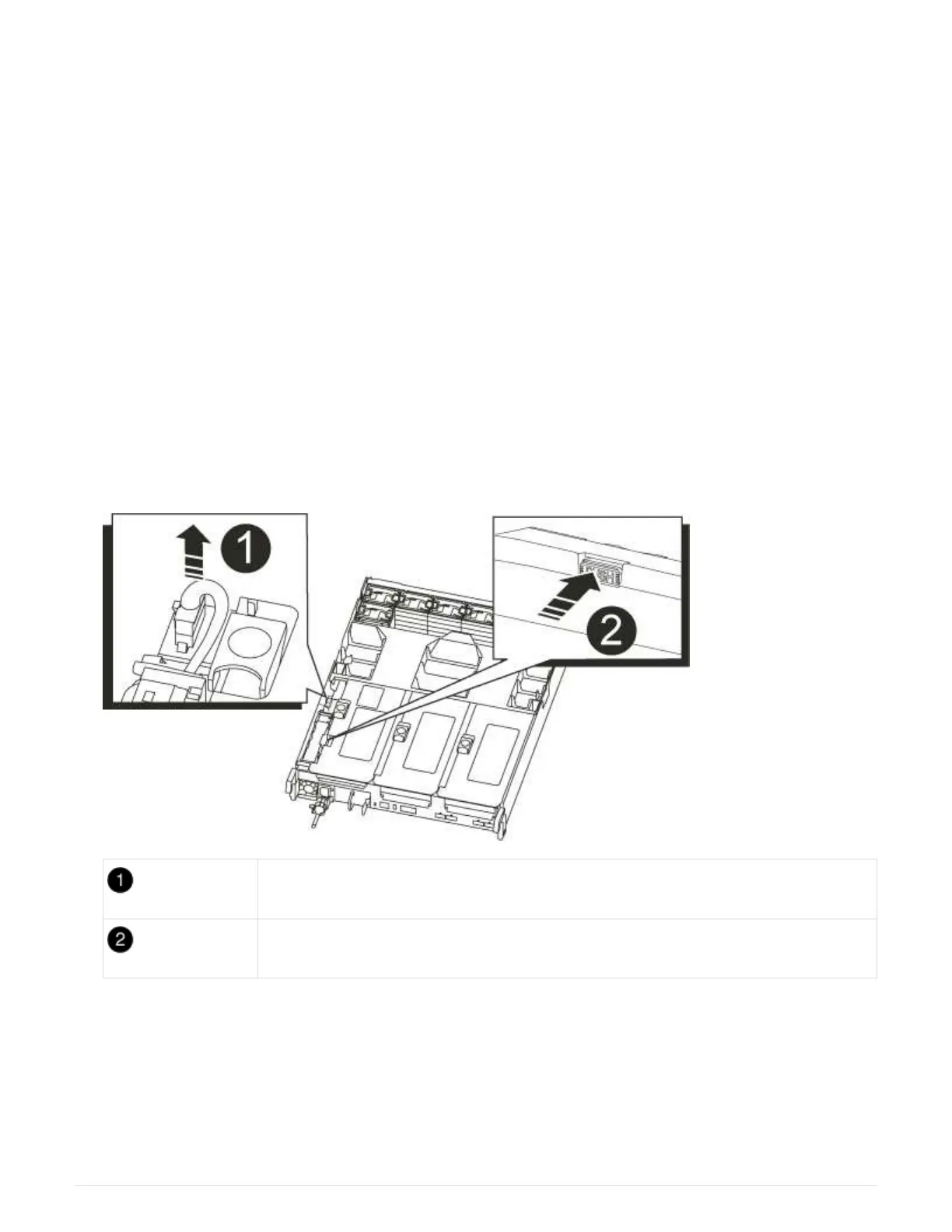
1. Locate the NVRAM battery on the left side of the riser module, Riser 1.
NVRAM battery plug
Blue NVRAM battery locking tab
2. Locate the battery plug and squeeze the clip on the face of the battery plug to release the plug from the
socket, and then unplug the battery cable from the socket.
3. Grasp the battery and press the blue locking tab marked PUSH, and then lift the battery out of the holder
and controller module.
4. Move the battery pack to the replacement controller module, and then install it in the NVRAM riser:
a. Slide the battery pack down along the sheet metal side wall until the support tabs on the side wall hook
878



 To Next Page