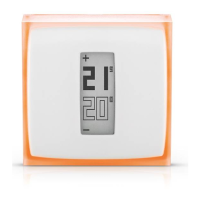
The Thermostat will display the start screen
and search for the Relay.
If the Thermostat has found the
Relay, it displays the desired
temperature and the room
temperature.
If the Thermostat hasn’t found the
Relay, it displays the «!» symbol.
In this case, move the relay closer to
the Thermostat and wait until the «!»
symbol disappears.
Thermostat
20
21
5
0
+
Measured temperature
Desired temperature
or
20
21
5
0
+


 To Next Page
 Loading...