EasyManua.ls Logo

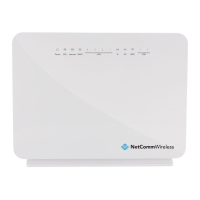
NetComm NF4V - User Manual

NetComm NF4V
4 pages
Print Icon
To Next Page IconTo Next Page
Loading...
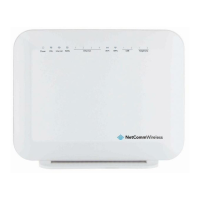
NetCommWireless
QUICK START GUIDE
NetComm
Wireless
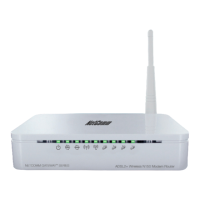
VDSL/ADSL WiFi Gigabit
Modem Router
NF4V

Other manuals for NetComm NF4V

Questions and Answers

  • A
    Allison McfarlandAug 3, 2025
    What to do if I cannot access NetComm NF4V from WLAN?
    • D
      Devin OlsenAug 3, 2025
      If you cannot access your NetComm Wireless Router from the WLAN, check the Wi-Fi LED on the front of the unit to verify that the WLAN is enabled. If you're using a static IP address for the WLAN connection, ensure that the IP address and subnet mask of both the router and your computer(s) are on the same subnet. You can check the router's configuration from the Network Setup page.
  • M
    millsstevenAug 10, 2025
    How to fix web configuration that does not display properly on NetComm NF4V?
    • T
      Todd RodriguezAug 11, 2025
      To fix a web configuration that isn't displaying correctly on your NetComm Wireless Router, delete the temporary web files and log in again. In Internet Explorer, go to Tools, Internet Options, and click the Delete Files button. In the Delete Files window, select Delete all offline content and click OK. (Steps may vary depending on your browser version.)
  • S
    Shirley ScottAug 18, 2025
    What to do if the Power LED does not light up on NetComm Wireless Router?
    • N
      Nicole BallAug 19, 2025
      If the Power LED on your NetComm Wireless Router doesn't light up, ensure the power adapter is correctly connected to the device and plugged into a working power source, using only the adapter provided. Check that both the router and the power source are turned on and that the device is receiving sufficient power. Try turning the router off and on again. If the issue continues, it may indicate a hardware problem.
  • J
    Jennifer FowlerOct 25, 2025
    Why I cannot access NetComm Wireless Router web configuration pages?
    • J
      justinsalinasOct 25, 2025
      There might be several reasons why you cannot access the web configuration pages of your NetComm Wireless Router. First, ensure you're using the correct IP address. Check the Network Setup configuration page for the device's IP address. Also, verify that remote administration access is enabled and that your computer’s IP address matches any configured inbound packet filters. Your computer’s and the router’s IP addresses must be on the same subnet for LAN access, which you can check on the Network Setup page. If you've changed the device's IP address, use the new one in your web browser. If all else fails, reset the router to factory default settings by pressing the reset button for 3 seconds until the Power LED blinks, then navigate to 192.168.20.1 and enter “admin” as both the username an...

NetComm NF4V Specifications

General IconGeneral
ModelNF4V
Device TypeWireless Router
Wireless Frequency2.4GHz
Wireless Speed300Mbps
WAN InterfaceEthernet
LAN InterfaceEthernet
Ethernet Ports4
WAN Ports1
FirewallSPI Firewall
SecurityWPA, WPA2
Antennas2 x External

Related product manuals