THANKS FOR PURCHASING
NETCOMM WIRELESS
This quick start guide is designed to get you up and running quickly with your new router, more
advanced set up instructions can be found in the user manual which can be downloaded from
www.netcommwireless.com
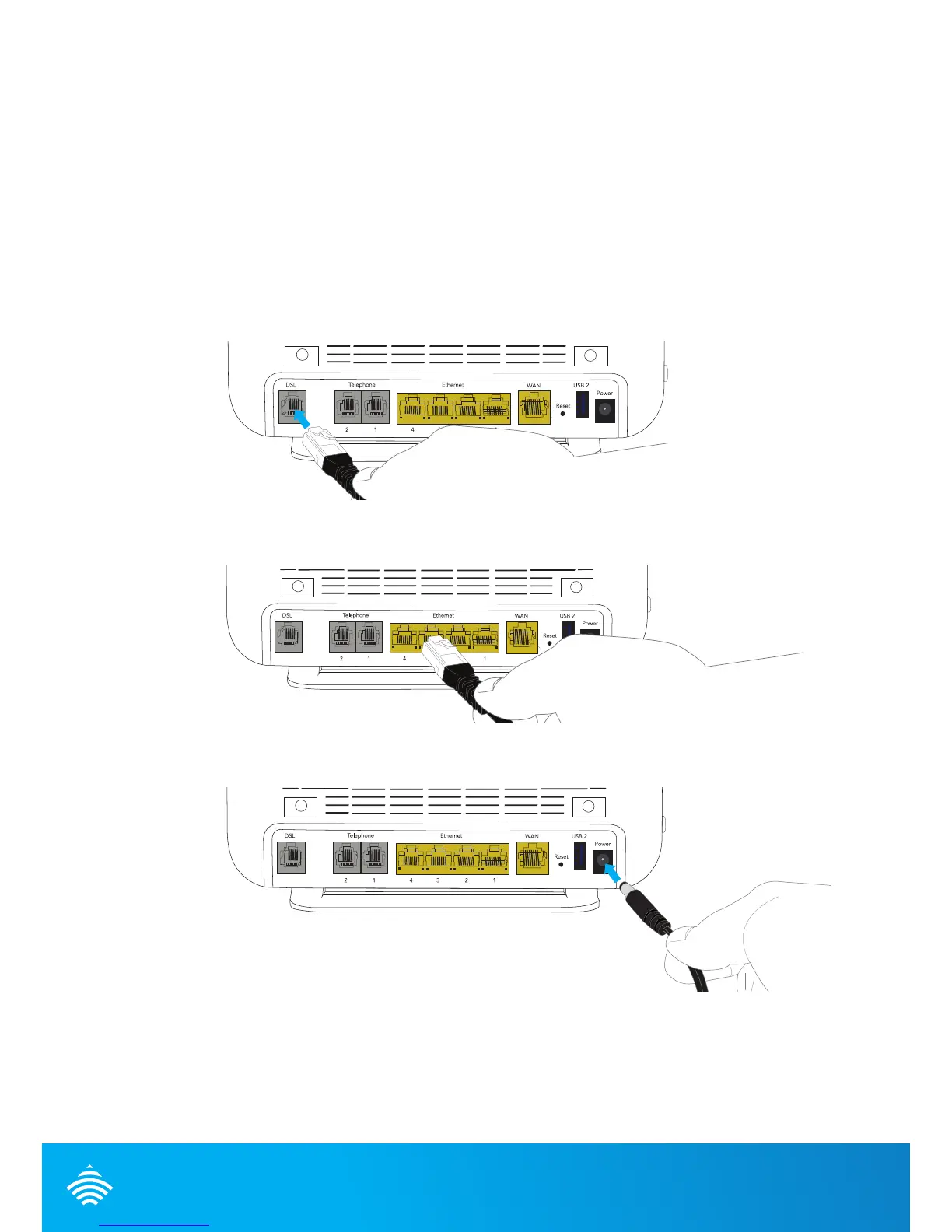
INSTALLING THE DEVICE
1. Connect the supplied RJ-11 cable to the DSL port on the back of your device and to the
phone port that supplies your DSL service.
2. Connect the supplied RJ-45 Ethernet cable from one of the Ethernet Ports on the back
of the device to your computer.
3. Connect the supplied power adapter to your router and press the on/off button to
power the router on.
Optional
Connect an RJ-11 cable from the telephone port on the back of your device to a
telephone handset to enable VOIP service usage.





 To Next Page