Quick Start
Support
Thank you for purchasing this NETGEAR product. You can visit
www.netgear.com/support to register your product, get help, access the latest
downloads and user manuals, and join our community. We recommend that you
use only official NETGEAR support resources.
Customer-owned cable modem routers might not be compatible with certain
Internet service providers (ISPs). Check with your ISP to confirm that this NETGEAR
cable modem router is allowed on your ISP’s network.
If you are experiencing trouble installing your cable modem router, contact
NETGEAR at 1-866-874-8924.
For regulatory compliance information, visit
https://www.netgear.com/about/regulatory/.
See the regulatory compliance document before connecting the power supply.
Note to CATV system Installer: This reminder is provided to call the CATV systems
installer’s attention to Section 820-93 of the National Electrical Code which
provide guidelines for proper grounding and in particular, specify that coaxial
cable shield shall be connected to the grounding system of the building, as close
to the point of cable entry as practical
Join the WiFi Network
You can either use Wi-Fi Protected Setup (WPS) or select your WiFi network and
type its password.
Join the WiFi Network Using WPS
For help with the WPS button on your WPS-enabled device, check the instructions
or online help that came with that device. Some older equipment cannot use
WPS.
Note: WPS does not support WEP security. If you are using WEP security, use the
manual method.
1. Press the WPS button on the cable modem router for three to five seconds.
2. Within two minutes, on your WPS-enabled device, press its WPS button.
The WPS-enabled device connects to your cable modem router’s WiFi
network.
3. Repeat Steps 1 and 2 to add other WPS-enabled devices.
Select Your WiFi Network and Enter Its Password
1. On your WiFi-enabled computer or mobile device, open the WiFi connection
manager.
The WiFi connection manager scans for WiFi networks in your area.
2. Find and select your cable modem router’s WiFi network name (SSID).
The SSID is on the cable modem router label.
3. Enter the cable modem router’s password (or your custom password if you
changed it) to connect.
The password is on the cable modem router label.
4. Repeat Step 1 through Step 3 to add other computers or WiFi devices.
Package Contents
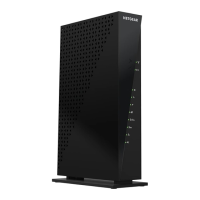
Cable modem router
Ethernet cable
Power adapter
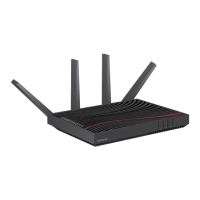
AC3200 WiFi Cable Modem Router
Model C7800
NETGEAR INTL LTD
Building 3, University Technology Centre
Curraheen Road, Cork, Ireland
NETGEAR, Inc.
350 East Plumeria Drive
San Jose, CA 95134, USA
© NETGEAR, Inc., NETGEAR and the NETGEAR Logo are trademarks of NETGEAR, Inc. Any
non‑NETGEAR trademarks are used for reference purposes only.

 Need help?
 General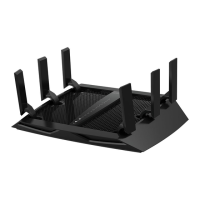


 To Next Page