Internet Setup
22
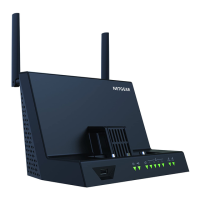
AirCard Smart Cradle
To set up a WAN Internet connection with backup failover to your mobile hotspot:
1. Use an Ethernet cable to connect your modem with Internet service to the Internet port
on the rear panel of the Smart Cradle.
Internet port
2. Launch a web browser from a computer or wireless device that is connected to the Smart
Cradle.
3. In the address field of the browser
, enter http://netgear.cradle or http://192.168.100.1.
A login prompt displays.
4. Enter the cradle user name and password.
The user name is admin.
The default password is password. The user name and
password are case-sensitive.
The BASIC Home screen displays.
5. Select Internet.
6. In the Internet source section, select the Failover Mode - WAN as a primary and Mobile
Hotspot as backup radio button.
7. Click the Apply button.

 To Next Page
 Loading...