Optionally, you can force DNS redirection if you want the devices on that VLAN to be forced into using a
preferred DNS server choice by enabling the Forced DNS Redirection option and entering the DNS server IP
in the Optional DNS Target text boxes.
Stop here and click Save and Apply Settings at the bottom of the page, in that order.
Finally, create a DHCP server for your newly minted VLAN by scrolling to the bottom of the same page and,
under the DHCPD heading, click the Add button to create a new DHCP server. In the ensuing list box, scroll
through the list of interfaces and select eth0, make sure it is enabled by selecting On in the neighboring list
box, leave the default lease time or modify it, click Save, then Apply Settings, in that order.
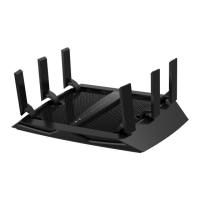
Netgear_R9000
Detaching the SFP+ port 5


 To Next Page
 Loading...