Connecting the Router to the Internet 1-1
v1.0, 2006-04
Chapter 1
Connecting the Router to the Internet
This chapter describes how to connect your router and how to access the Internet through it.
What’s in the Box?
The product package should contain the following items:
• The wireless router
• An AC power adapter (varies by region)
• A blue Ethernet cable
• Resource CD, including:
— The Smart Wizard Installation Assistant
— This manual
• Warranty and Support Information cards
If any of the parts are incorrect, missing, or damaged, contact your NETGEAR dealer. Keep the
carton, including the original packing materials, in case you need to return the product for repair.
The Wireless Router Label
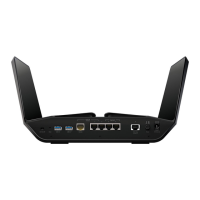
View the label on the back of the wireless router to identify the serial number, port connectors,
status lights, and default login information.
Figure 1-1



 To Next Page
 Loading...