EasyManua.ls Logo

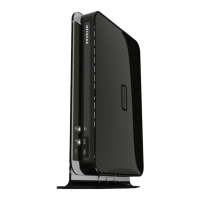
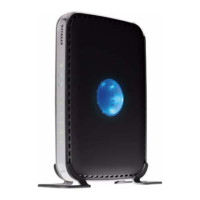
NETGEAR RANGEMAX WNDR3300 - User Manual

NETGEAR RANGEMAX WNDR3300
128 pages
Print Icon
To Next Page IconTo Next Page
Loading...
202-10301-02
October 2008
v1.1
NETGEAR, Inc.
350 E. Plumeria Drive
San Jose, CA 95134 USA
NETGEAR RangeMax™
Dual Band Wireless-N
Router WNDR3300 User
Manual

Table of Contents

Other manuals for NETGEAR RANGEMAX WNDR3300

Questions and Answers

  • W
    William SchneiderAug 12, 2025
    How to fix NETGEAR RANGEMAX WNDR3300 power light off or blinking?
    • M
      Matthew TannerAug 12, 2025
      If the power light on your NETGEAR Wireless Router is off or blinking, ensure the power cord is properly connected to both the router and a functioning power outlet. Also, verify you're using the 12V DC 1A power adapter supplied by NETGEAR. If the power light blinks green and amber alternately every second, it indicates the router software is corrupted.
  • F
    frenchlaurenAug 16, 2025
    What to do if Internet or Ethernet port lights are off on NETGEAR Wireless Router?
    • C
      csimonAug 16, 2025
      If the Internet or Ethernet port lights on your NETGEAR Wireless Router are off, first ensure that the Ethernet cable connections are secure at both the router and the modem or computer. Then, make sure that the connected modem or computer is powered on. Finally, verify that you are using the correct cable, specifically the one supplied with the cable or DSL modem when connecting the router’s Internet port to the modem.
  • T
    Tiffany FisherAug 20, 2025
    Why my computer is unable to load any web pages from the Internet using NETGEAR Wireless Router?
    • B
      Brian SharpAug 20, 2025
      If your computer is unable to load web pages when connected to the NETGEAR Wireless Router, your computer might not recognize any DNS server addresses or the router is not configured as its TCP/IP gateway. Also, ensure that Never dial a connection is selected in Internet Explorer options.
  • M
    Matthew BrooksAug 23, 2025
    How to save configuration changes on NETGEAR RANGEMAX WNDR3300?
    • J
      john63Aug 23, 2025
      If your NETGEAR Wireless Router does not save configuration changes, ensure that you click Apply before navigating to another screen or tab. The changes might have occurred, but the Web browser might be caching the old configuration, so click Refresh or Reload in the Web browser.
  • J
    Jim LopezAug 27, 2025
    What to do if lights never turn off on NETGEAR RANGEMAX WNDR3300?
    • J
      James WilliamsAug 27, 2025
      If the lights on your NETGEAR Wireless Router never turn off, try cycling the power to see if the router recovers. You can also clear the router’s configuration to factory defaults.
  • D
    Dawn ShawAug 31, 2025
    How to turn on Wireless light on NETGEAR Wireless Router?
    • P
      Paul PattersonAug 31, 2025
      If the Wireless light is off on your NETGEAR Wireless Router, verify that the Enable Wireless Router Radio check box is selected in the Advanced Wireless Settings screen.
  • K
    kimberly26Sep 4, 2025
    Why date shown is January 1 2000 on NETGEAR Wireless Router?
    • A
      Amanda BullockSep 4, 2025
      If the date shown on your NETGEAR Wireless Router is January 1, 2000, it means that the router has not yet successfully reached a Network Time Server. Check that your Internet access is configured correctly and wait at least 5 minutes, then check the date and time again.
  • A
    Andrew StewartSep 7, 2025
    How to fix time off by one hour on NETGEAR Wireless Router?
    • B
      Brandon WhiteSep 7, 2025
      If the time is off by one hour on your NETGEAR Wireless Router, select the Adjust for Daylight Savings Time check box in the E-mail screen.

Summary

Configuring Your Internet Connection

Logging In to Your Wireless Router

Access the router's web interface to manage settings and configurations.

Using the Setup Wizard

Utilize the guided wizard for initial internet connection setup.

Viewing or Manually Configuring Your ISP Settings

Manually input or verify ISP-specific connection details.

Safeguarding Your Network

Wireless Security Options

Understand and select security protocols like WEP, WPA, WPA2 for network protection.

Manually Configuring Your Wireless Settings

Set up SSID, channel, and security manually for your wireless network.

Using Network Monitoring Tools

Customizing Your Network Settings

Troubleshooting

Cannot Access the Internet

Diagnose and resolve problems preventing internet access.

Restoring the Default Configuration and Password

Reset router to factory defaults to resolve issues.

NETGEAR RANGEMAX WNDR3300 Specifications

General IconGeneral
BrandNETGEAR
ModelWNDR3300
Device TypeWireless Router
Wireless Standards802.11a/b/g/n
Maximum Wireless Speed300 Mbps
SecurityWEP, WPA, WPA2
Frequency Band2.4 GHz
Ethernet Ports4
Antennas2 internal antennas

Related product manuals