Installation
Package Contents
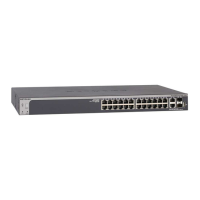
• NETGEARProSAFESmartSwitchS3300-28X,S3300-52X,S3300-
28X-PoE+,orS3300-52X-PoE+
• Rubberfootpadsfortabletopinstallation
• ACpowercord
• 19-inchrack-mountkitforrackinstallation
• ResourceCD
NETGEAR ProSAFE Smart Switch S3300
S3300-28X, S3300-52X, S3300-28X-PoE+,
S3300-52X-PoE+
Connect the Switch to Your Network
IfyouareusingstaticIPaddressesinyournetworkyoumustcongurethe
switchwithastaticIP.IfyouareusingDHCPserver,youcanskipthenext
section.
¾ To configure the switch with a static IP address:
1. CongureyourcomputerwithastaticIPaddressinthe192.168.0.x
subnet.
2. ConnectyourcomputertoaportontheswitchusinganEthernetcable.
3. Inabrowser,enterthedefaultIPaddressofyourswitch,
192.168.0.239.
Aloginscreendisplays.
4. Enterpasswordforthepassword.
5. SelectSystem > Management > IP Configuration.
6. EnterthestaticIPaddressyouwanttoassigntheswitch.
7. ClicktheApplybutton.
¾ To connect your switch to your network:
1. CableacomputertoanEthernetportontheswitchfrontpanel.
2. Powerontheswitch.
3. VerifythatthecomputerwiththeSmartControlCenterUtilityisonthe
samesubnetastheswitch.
Configure the Switch
UsetheSmartControlCenterUtilityincludedontheResourceCD++to
conguretheswitch.
¾ To configure your switch:
1. Double-clicktheSmartControlCenterUtilityicononyourdesktop.
TheSmartControlCenterdisplays.
2. ClicktheDiscoverbutton.
TheSmartControlCenterUtilityndstheswitchanddisplaysitsMAC
address,IPaddress,andmodelnumber.
3. Clickthelinefortheswitchthatyouwanttocongure.

 Need help?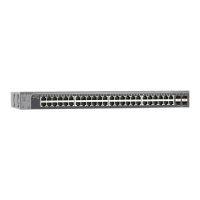








 To Next Page
 General