3
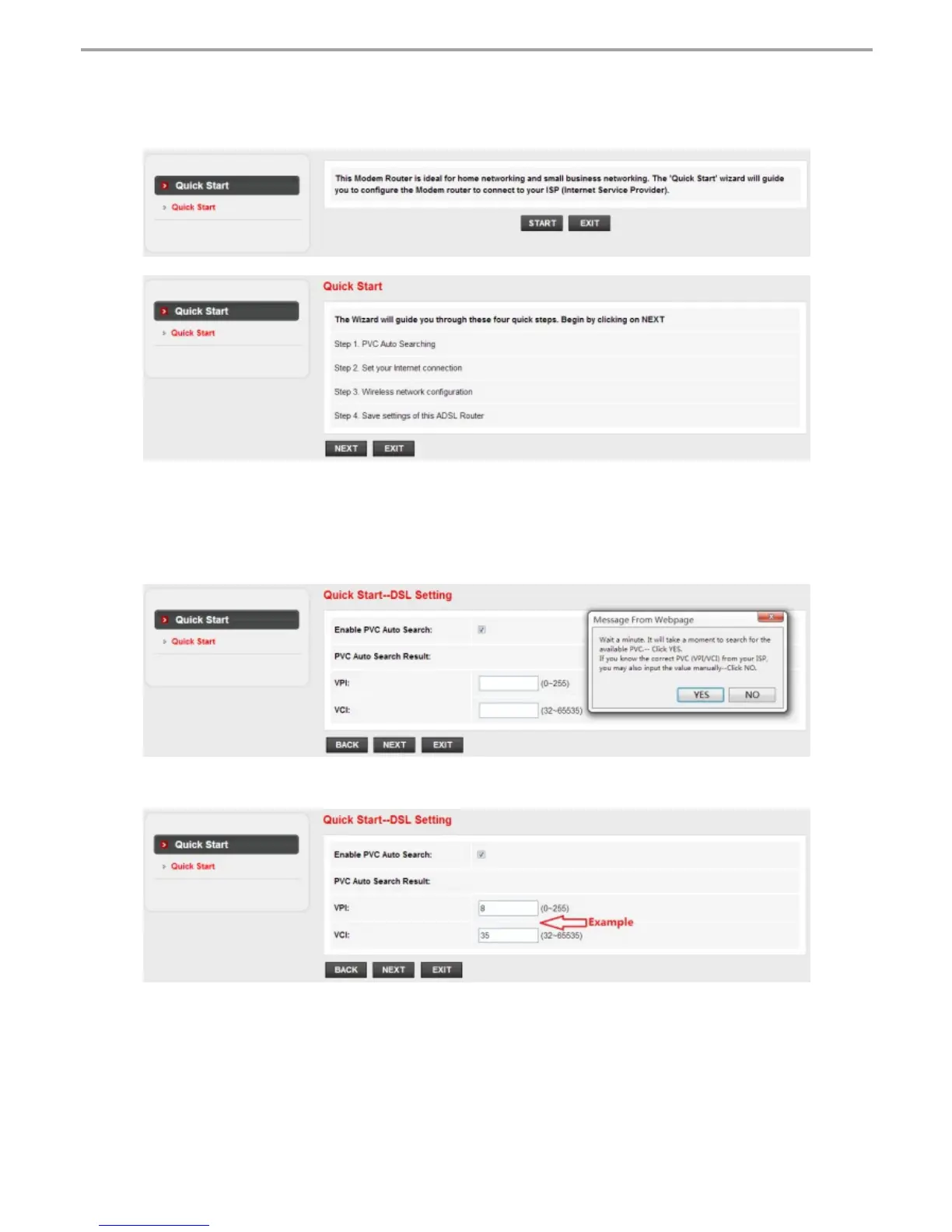
3.4. Under “Quick Start” page, left-click on “START” and the Wizard will
guide you through the following four steps. Then left-click on “NEXT”.
1) Set the PVC (VPI/VCI) value.
Left-click “Cancel” if you know the PVC (VPI/VCI) from your ISP, then input the
value manually.
If you don't know the exact value, please left-click on “OK”, and then it will take less
than one minute to search for the available PVC automatically.
Once the PVC value is input or shows up in the following page, left-click on “NEXT”.
netis Wireless N ADSL2+ Modem Router Quick Installation Guide



 To Next Page
 Loading...