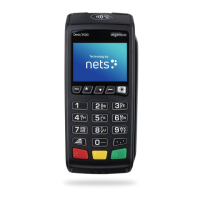
6
Credit Card
1. Press to select Credit Card
2. Press (far right hand corner)
3. Press to select Credit
4. Press to select Admin
5. Press to select Reprint
6. Press to select Last Receipt
or
Press to select Last Settlement
Receipt
1
1
2
4
1
–
3
Reprint receipt
1. Press to select Credit Card
2. Enter Purchase Amount
and press
3. For Contactless Payment:
Tap card/smartphone/wearable
on the reader
or
For Contact Payment:
Insert card into the terminal
and press
4. Press to print Customer Copy
3
Purchase transaction
1
1
2
4
1
–
3
3


 To Next Page