Need help?
Do you have a question about the Nets Move/3500 and is the answer not in the manual?
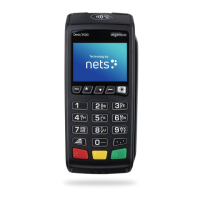
Details on the Desk/3500's countertop features and integration capabilities.
Details on the Move/3500's mobile features and connectivity options.
Details on the Lane/3000's countertop features and successor status.
Details on the iCT250E's countertop and GPRS variant features.
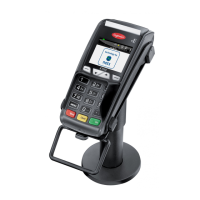
Details on the iPP350's countertop features and ECR integration.
Details on the iWL250B's mobile features and base station communication.
Details on the iWL250G's mobile features using GPRS or 3G.
Details on the iSMP4's mobile integration with ECRs via Bluetooth/Wi-Fi.
Procedure for reading cards using the terminal's chip reader.
Process for performing payments using contactless technology.
Procedure for reading cards using the terminal's magnetic strip.
Procedure for completing purchases that include cash withdrawals (cashback).
Procedure for cancelling or reversing the last authorised transaction.
Step-by-step guide for completing a standard purchase transaction.
How to perform a purchase by manually entering card data.
How to process refunds when goods are returned.
Details on connecting the Desk/3500 terminal via MagicBox or USB.
Details on connecting the Lane/3000 terminal via USB, RS232, or Ethernet.
Details on connecting the iPP350 terminal via USB or RS232.
Details on connecting the iWL250G terminal via GPRS/3G with a base station.
Procedure for connecting and charging the Move/3500 terminal with its base station.
Details on connecting the iCT250E terminal via Ethernet or serial/IP/USB.
Details on connecting the iWL250B terminal via Bluetooth to a base station.
Details on connecting the iSMP4 terminal via Bluetooth or Wi-Fi.
Procedure for setting up and charging the Move/3500 terminal.
Connecting the Lane/3000 terminal for ECR integration.
Connecting the iSMP4 terminal to a host system.
Procedure for installing and charging the iWL250B terminal.
Procedure for installing and charging the iWL250G terminal.
Details on integrating the iPP350 terminal via USB or RS232.
Overview of network connection types supported by different terminals.
Step-by-step guide for setting up Wi-Fi on Move/3500.
Guide for setting up Wi-Fi connection on the iSMP4 terminal.
Procedure for performing manual reconciliation of transactions.
Step-by-step guide to registering a new operator on the terminal.
Procedure to delete a registered operator from the terminal.
How to perform manual software updates on the payment terminal.
Resolving problems related to the Merchant Card, such as incorrect messages.
Diagnosing and resolving network connection problems for terminals.
 General
| Model | Move/3500 |
|---|---|
| Category | Payment Terminal |
| Connectivity | Bluetooth, Wi-Fi |
| Battery | Li-Ion |
| Card Reader | EMV, NFC, Magnetic Stripe |
| Security | PCI PTS 5.x |
| Payment Methods | Credit cards, debit cards, mobile payments |


 To Next Page