Chapter 8: Wi-Fi Analysis
Wi-Fi TOOLS
245
WCAUTION
To avoid an accident, watch where you are going as
you walk around locating the signal.
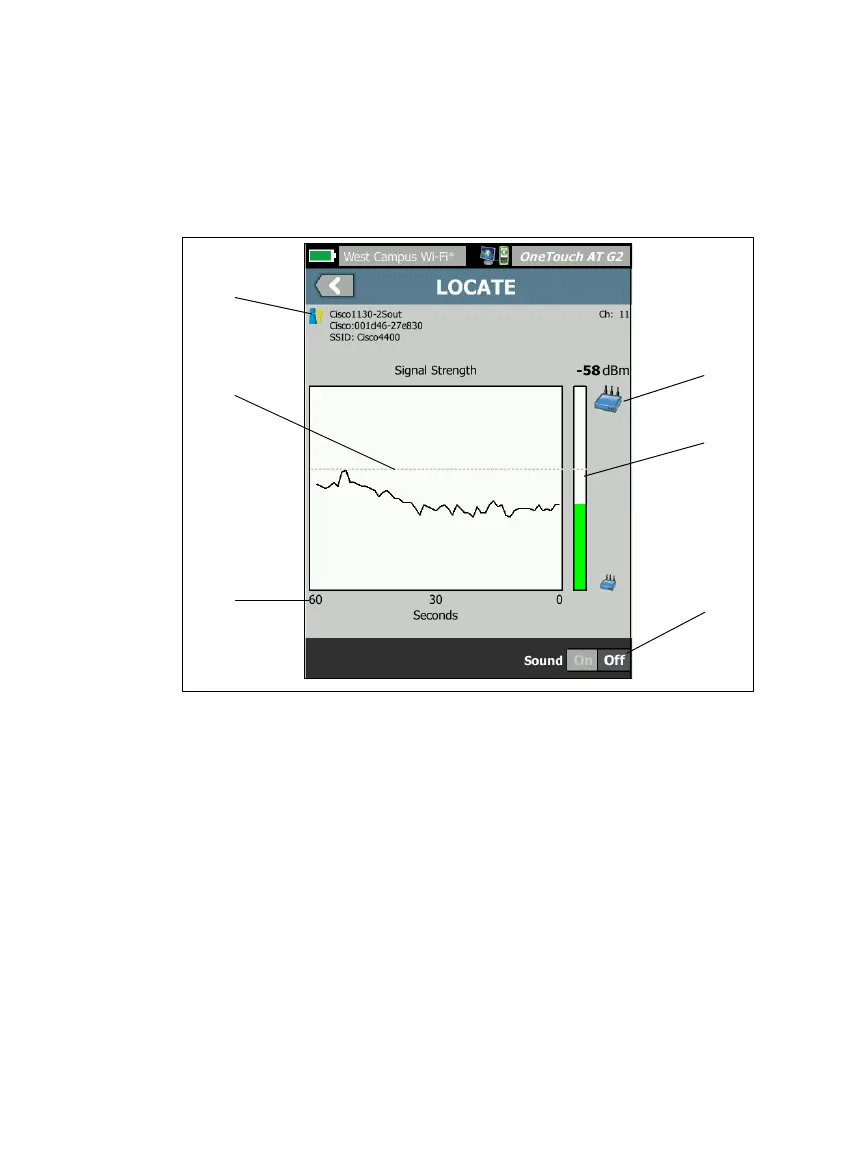
Figure 103. AP/Client LOCATE Screen
The Authorization Status icon is described on page 236.
The high water mark shows the strongest signal received since
the test began.
The graph shows one minute of signal data.
This icon indicates whether an AP or a client is being located.
The Signal Strength Bar grows or shrinks based on signal
strength. It changes color according to the signal strength
thresholds shown on page 199. If the signal is lost, the bar
turns gray.
You can switch off sound to silently locate APs or clients.


 To Next Page