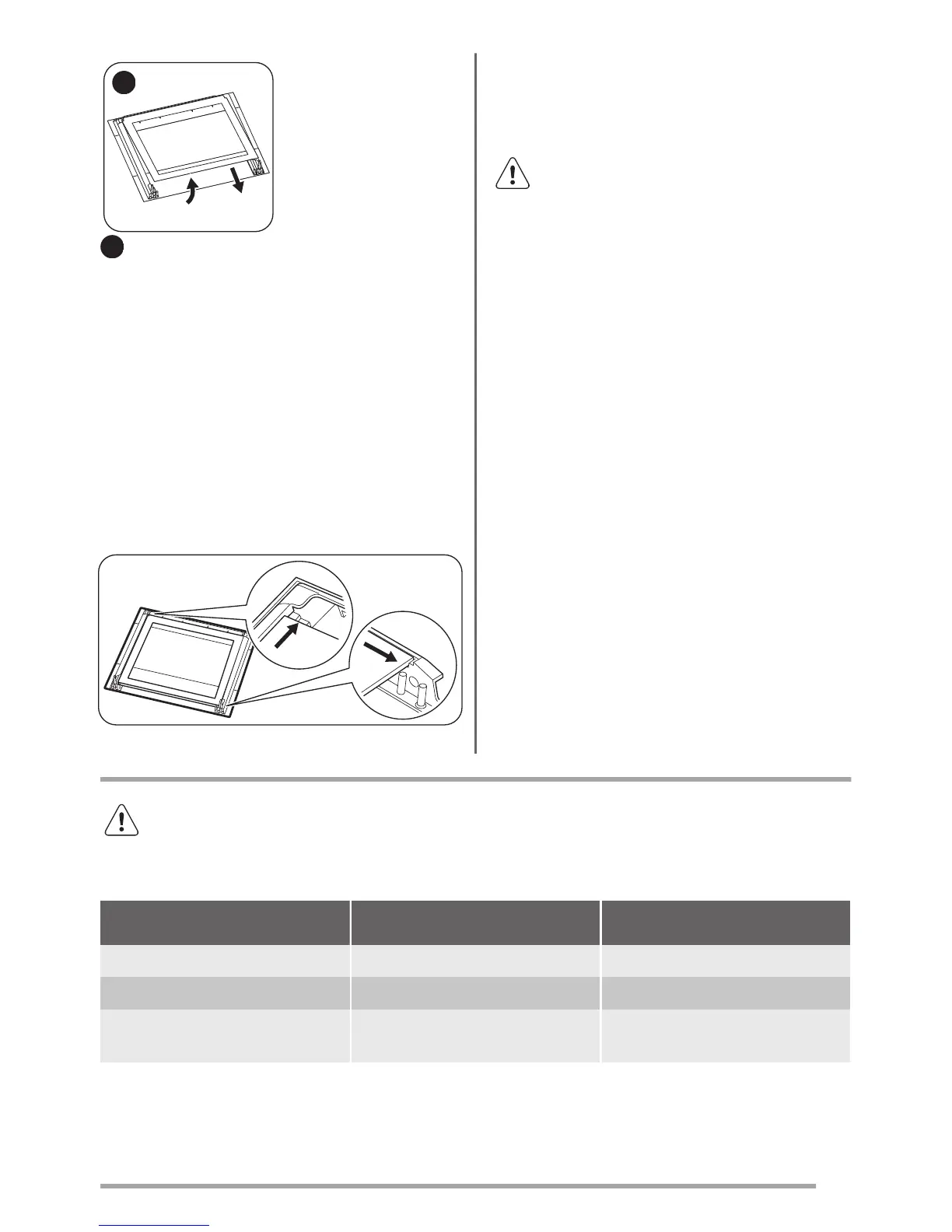
7
First lift carefully and
then remove the glass
panel.
7
Clean the glass panel with water and soap. Dry the
glass panel carefully.
When the cleaning is completed, install the glass panel
and the oven door. Do the above steps in the opposite
sequence.
The screen-printing zone must face the inner side of the
door. Make sure that after the installation the surface of
the glass panel frame on the screen-printing zones is
not rough when you touch it.
Make sure that you install the internal glass panel in the
seats correctly.
Replacing the lamp
Put a cloth on the bottom of the interior of the appliance.
It prevents damage to the lamp glass cover and the
cavity.
Warning! Danger of electrocution!
Disconnect the fuse before you replace
the lamp.
The lamp and the lamp glass cover can
be hot.
1. Deactivate the appliance.
2. Remove the fuses from the fuse box or deactivate
the circuit breaker.
The back lamp
1. Turn the lamp glass cover counterclockwise to
remove it.
2. Clean the glass cover.
3. Replace the lamp with a suitable 300 °C heat-
resistant lamp.
4. Install the glass cover.
Troubleshooting
Warning! Refer to Safety chapters.
What to do if...
Problem Possible cause Remedy
The oven does not heat up. The oven is deactivated. Activate the oven.
The oven does not heat up. The clock is not set. Set the clock.
The oven does not heat up. The necessary settings are not set. Make sure that the settings are cor-
rect.
15



 To Next Page