Got Questions? Let Us Help! Email SUPPORT@NEUMITECH.COM
How do I play music?
From the main menu, select the Audio icon, then select the USB drive or Micro SD Card to browse
for music files to play. Find the file you would like to play, press the OK button on the remote and it
will begin playing. The media player can also be configured to automatically start playing music
whenever it is turned on – please refer to the settings section for how to configure and use this
automatic playback feature.
During music playback, you can...
• Pause or resume the song using the OK button. Press the Return button to stop.
• Press the Left/Right buttons to quickly skip backward or forward. Press and hold the
Left/Right buttons to use the timeline slider to quickly get to a point in the video.
• Use the Up/Down buttons on the remote to go to the previous or next video.
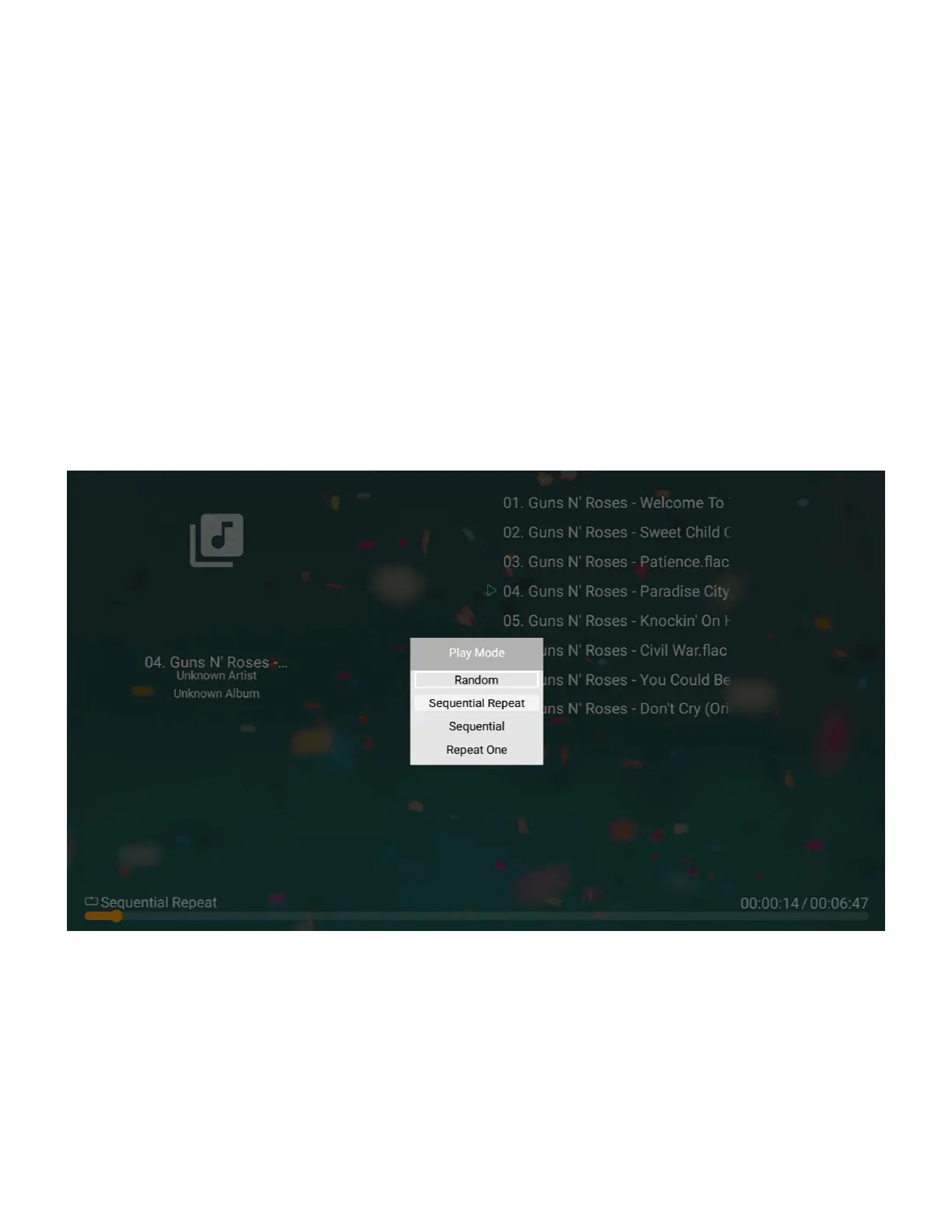
• Use the Menu button to change the playback order of the songs in the current folder:
Random, Sequential Repeat, Sequential, Repeat One.


 To Next Page
 Loading...