Got Questions? Let Us Help! Email SUPPORT@NEUMITECH.COM
How do I play video, photos, or music automatically?
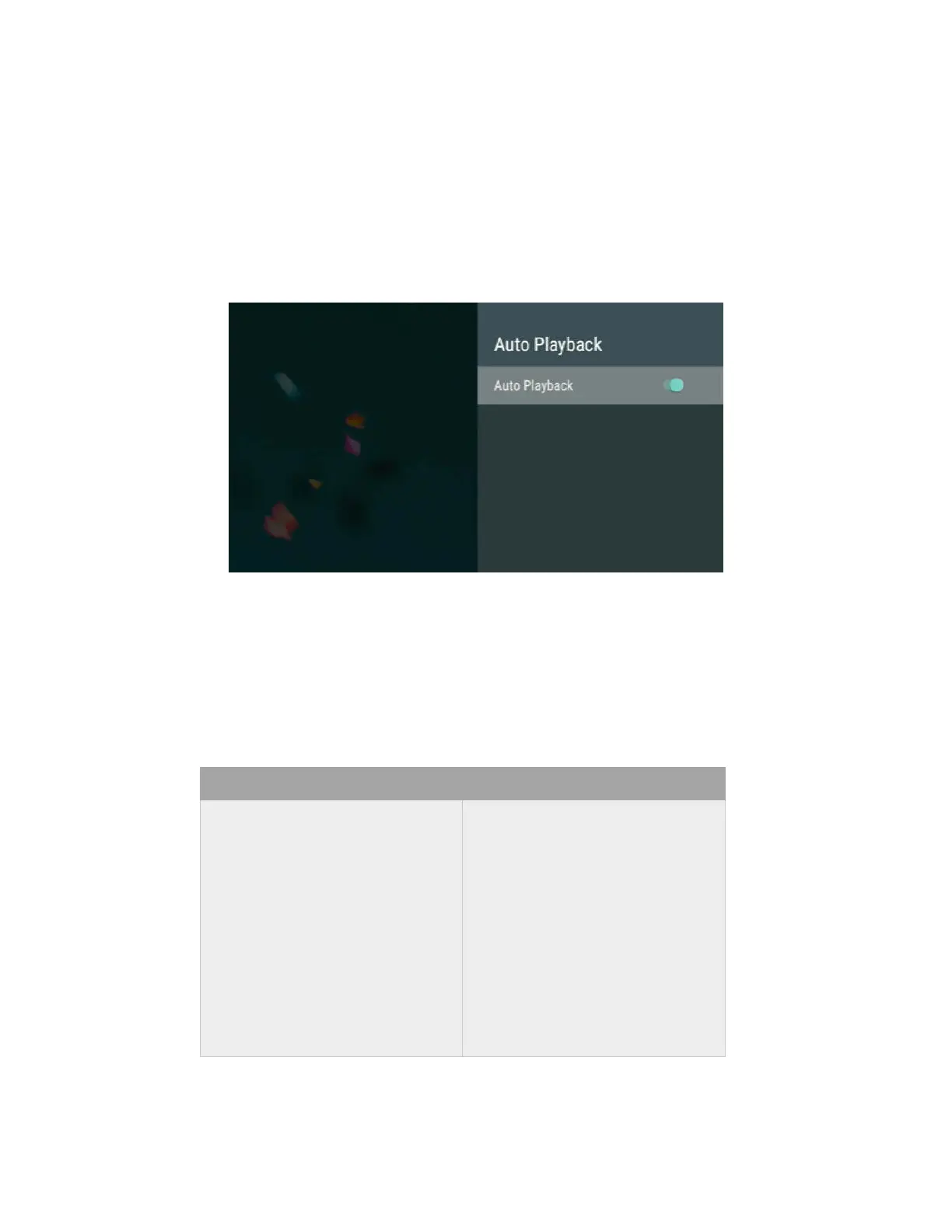
The NEUMI ATOM 4K can be configured to automatically play videos, photos, or music when:
• Power is plugged in, including when power is restored after an outage
• Turned on using the remote control
• A Micro SD card or USB drive is inserted
To enable this feature, go to the Settings menu and enable the Auto Playback setting.
Make sure the videos, photos, and music files that you want to automatically play are in the root
folder and not in any subfolders. The Auto Playback feature will only play one type of media file and
will not mix files. It will first look for videos to play; if no video files are found it will look for music
files to play; if no music files are found it will look for photos to play. To automatically play one file
type, make sure that there are no other file types in the root folder of the Micro SD card or USB
drive. To control the sequence of playback, name the files using a common format and in
alphabetical order:
RIGHT! WRONG!
VIDEO0001.MKV
VIDEO0002.MP4
VIDEO0003.MKV
…
VIDEO0010.MKV
VIDEO0011.MKV
…
VIDEO0100.MP4
1.MKV
02.MP4
3.MKV
…
10-Video.MKV
11(1).MKV
…
100.MP4


 To Next Page
 Loading...