EasyManua.ls Logo

NewAir CC-100H - User Manual

NewAir CC-100H
13 pages
Print Icon
To Next Page IconTo Next Page
Loading...
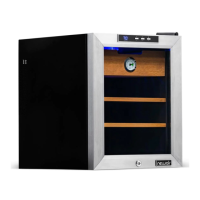
Thermoelectric Cigar
Humidor with Lock
CC-100H
OWNERS MANUAL
Read and save these instructions.
.

Questions and Answers

Summary

Specifications

Register Your Product Online

Service and Support

Benefits of product registration for faster troubleshooting and service.

Recall Notifications

Stay updated on safety, system updates, and recall notices.

Special Promotions

Opt-in for NewAir promotions and special offers.

Before First Use

Safety Information & Warnings

Child Entrapment Warning

Prevent children from operating, playing with, or crawling inside the unit.

Flammable Fluids Warning

Do not clean with flammable fluids or store them nearby.

Perishable Foods Warning

Do not store perishable foods as interior temps may not prevent spoilage.

Shock Hazard - Electrical Grounding Required

Parts List

Installation

Ventilation Requirements

Allow 5 inches clearance at the back for proper ventilation.

Initial Setup Steps

Stand upright for 2 hours, clean interior, level unit, and place away from heat sources.

Factory Odor Removal

Clean interior with detergent and water, air dry, use baking soda or newspapers if odor persists.

Drawer Set-Up

Ensure drawers and shelves sit flush with the front edge for air circulation.

Seasoning Your Cigar Humidor

Add Distilled Water

Add distilled water to moisture container or damp sponge, avoid contact with wood.

Reach Target Humidity

Allow device to reach 5% higher than preferred RH, may take up to 3 days.

Add Cigars

Add cigars once target RH is reached, monitor RH and adjust as needed.

Operating Instructions

Operating Environment

Install in area with 50°-80°F ambient temp for optimal 65°-73°F interior temp.

How to Use the Buttons on the Display Panel

Temperature Adjustment

Use Up/Down buttons to adjust temperature in 1-degree increments between 54°F and 74°F.

Light Control

Use the Light button to turn the interior light on or off.

Cleaning & Maintenance

Cleaning Your Humidor

Unplug, remove contents, wash interior with warm water and baking soda solution, rinse water reservoir.

Moving Your Humidor

Cigar Storage Guide

Ideal Storage Conditions

Maintain 65°-73°F temperature and 65%-75% RH using a moisture container.

Humidity Addition

Fill moisture container with distilled water or damp sponge, change water as needed.

Sunlight and Packaging

Keep cigars out of direct sunlight; keep them in original packaging to preserve flavor.

Pest and Mold Checks

Regularly check cigars for tobacco beetles and mold; take preventative measures.

Troubleshooting

Humidor Not Operating

Check voltage and circuit breaker/fuse if the unit does not operate.

Humidor Not Cold Enough

Adjust setting, reduce door openings, ensure door is closed securely, check door seal.

Humidor Operational Issues

Insufficient Clearance

Ensure at least 5 inches clearance at the back and sides for operation.

Light Malfunction

Contact support if the light on the display board does not work.

Vibration Issues

Ensure unit is on a level floor and feet are properly installed and secured.

Excessive Noise

Check if the unit is leveled and inspect the fan for debris or obstructions.

Limited Manufacturers Warranty

Warranty Terms

Manufacturer will repair or replace defective parts within one year of purchase at no charge.

Warranty Exclusions

Warranty does not cover power failure, transit damage, misuse, fire, water, external influences, dismantling, or wear.

Obtaining Service

Provide proof of purchase for warranty claims; repairs by authorized facilities; purchaser responsible for costs.

Summary

Specifications

Register Your Product Online

Service and Support

Benefits of product registration for faster troubleshooting and service.

Recall Notifications

Stay updated on safety, system updates, and recall notices.

Special Promotions

Opt-in for NewAir promotions and special offers.

Before First Use

Safety Information & Warnings

Child Entrapment Warning

Prevent children from operating, playing with, or crawling inside the unit.

Flammable Fluids Warning

Do not clean with flammable fluids or store them nearby.

Perishable Foods Warning

Do not store perishable foods as interior temps may not prevent spoilage.

Shock Hazard - Electrical Grounding Required

Parts List

Installation

Ventilation Requirements

Allow 5 inches clearance at the back for proper ventilation.

Initial Setup Steps

Stand upright for 2 hours, clean interior, level unit, and place away from heat sources.

Factory Odor Removal

Clean interior with detergent and water, air dry, use baking soda or newspapers if odor persists.

Drawer Set-Up

Ensure drawers and shelves sit flush with the front edge for air circulation.

Seasoning Your Cigar Humidor

Add Distilled Water

Add distilled water to moisture container or damp sponge, avoid contact with wood.

Reach Target Humidity

Allow device to reach 5% higher than preferred RH, may take up to 3 days.

Add Cigars

Add cigars once target RH is reached, monitor RH and adjust as needed.

Operating Instructions

Operating Environment

Install in area with 50°-80°F ambient temp for optimal 65°-73°F interior temp.

How to Use the Buttons on the Display Panel

Temperature Adjustment

Use Up/Down buttons to adjust temperature in 1-degree increments between 54°F and 74°F.

Light Control

Use the Light button to turn the interior light on or off.

Cleaning & Maintenance

Cleaning Your Humidor

Unplug, remove contents, wash interior with warm water and baking soda solution, rinse water reservoir.

Moving Your Humidor

Cigar Storage Guide

Ideal Storage Conditions

Maintain 65°-73°F temperature and 65%-75% RH using a moisture container.

Humidity Addition

Fill moisture container with distilled water or damp sponge, change water as needed.

Sunlight and Packaging

Keep cigars out of direct sunlight; keep them in original packaging to preserve flavor.

Pest and Mold Checks

Regularly check cigars for tobacco beetles and mold; take preventative measures.

Troubleshooting

Humidor Not Operating

Check voltage and circuit breaker/fuse if the unit does not operate.

Humidor Not Cold Enough

Adjust setting, reduce door openings, ensure door is closed securely, check door seal.

Humidor Operational Issues

Insufficient Clearance

Ensure at least 5 inches clearance at the back and sides for operation.

Light Malfunction

Contact support if the light on the display board does not work.

Vibration Issues

Ensure unit is on a level floor and feet are properly installed and secured.

Excessive Noise

Check if the unit is leveled and inspect the fan for debris or obstructions.

Limited Manufacturers Warranty

Warranty Terms

Manufacturer will repair or replace defective parts within one year of purchase at no charge.

Warranty Exclusions

Warranty does not cover power failure, transit damage, misuse, fire, water, external influences, dismantling, or wear.

Obtaining Service

Provide proof of purchase for warranty claims; repairs by authorized facilities; purchaser responsible for costs.

Overview

This document is an owner's manual for the NewAir CC-100H Thermoelectric Cigar Humidor with Lock.

Function Description

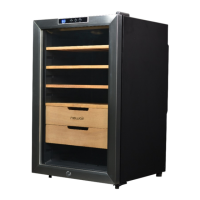
The NewAir CC-100H is a thermoelectric cigar humidor designed for home use. Its primary function is to store cigars under controlled temperature and humidity conditions to preserve their quality. It features a lock for security and a display panel for easy temperature management. The unit is freestanding and should not be installed inside a cabinet or other built-in enclosure.

Important Technical Specifications

  • Model No.: CC-100H
  • Rated Voltage: 110-120V AC/60Hz
  • Power Consumption: 50W / 0.8 A
  • Storage Capacity: 250 cigars
  • Temperature Range: 54°F - 74°F (adjustable in 1-degree increments)
  • Recommended Ambient Temperature: 50°F - 80°F
  • Recommended Relative Humidity (RH) for Cigars: 65% - 75% RH
  • Clearance: Requires 5 inches of clearance between the back of the unit and any adjacent walls for proper ventilation.

Usage Features

Installation:

  1. Unpacking: Upon receiving, allow the unit to stand upright for approximately 2 hours before connecting to a power source to prevent system malfunctions.
  2. Cleaning: Clean the interior surface with lukewarm water and a soft cloth, avoiding wetting the wood.
  3. Placement: Place the humidor on a level surface strong enough to support its full weight. Adjust the front feet to level the unit.
  4. Location: Install away from direct sunlight, stoves, heaters, or radiators. Avoid extreme cold or hot ambient temperatures, as these can affect performance. The humidor is designed for home use and not for garages, basements, or outdoor areas.
  5. Drawer Set-up: Drawers and shelves should sit flush with the front edge of the cabinet to allow free air circulation. Avoid pushing them against the rear wall.

Seasoning Your Cigar Humidor:

  1. Moisture Container: Add distilled water to the included moisture container or use a damp sponge (with distilled water), ensuring water does not directly touch the wood.
  2. Humidity Adjustment: Allow the moisture container or other humidity-adding device to sit in the humidor until the relative humidity reaches 5% higher than your preferred level (this may take up to 3 days).
  3. Adding Cigars: Once the desired RH is reached, gradually add cigars, monitoring the RH to ensure it remains at the desired level. If RH drops, repeat the seasoning method.
  4. Door Management: Avoid opening the door unnecessarily during seasoning to prevent moisture escape.

Operating Instructions (Display Panel):

  • Temperature Control: The display panel has "Up" and "Down" buttons to adjust the desired temperature between 54°F and 74°F in 1-degree increments.
  • Light Control: A "Light" button turns the interior light on or off.
  • Display Behavior: After turning on, the LED display first shows the ambient temperature, then the internal cabinet temperature. When setting a new temperature, it flashes for 5 seconds before reverting to the internal cabinet temperature.

Cigar Storage Guide:

  • Temperature: Maintain between 65°F and 73°F.
  • Relative Humidity (RH): Maintain between 65% and 75% RH. Use the included moisture container with distilled water or a damp sponge to add humidity. Change water as needed.
  • Sunlight: Keep cigars out of direct sunlight to prevent UV damage.
  • Packaging: Store cigars in their original boxes and packaging as long as possible.
  • Flavor Mingling: Keep unwrapped cigars separate to avoid unwanted flavor mingling.
  • Inspection: Regularly check cigars for tobacco beetles and mold, taking preventative measures.
  • Aging: Properly stored cigars can improve with age for 5-10 years, or even longer under ideal conditions.

Maintenance Features

Cleaning Your Humidor:

  1. Preparation: Unplug the humidor and remove all contents.
  2. Interior Cleaning: Remove shelves and wash the inside of the unit with a solution of warm water and baking soda (2 tablespoons per quart of water).
  3. Water Reservoir: Unscrew and rinse the water reservoir at the bottom of the unit.
  4. Exterior Cleaning: Clean the outside of the unit with a mild detergent and warm water.
  5. Drying: After cleaning, leave the door open to air dry thoroughly.

Factory Odor Removal:

  1. Initial Cleaning: Wash the interior with a mild detergent and warm water, ensuring the wood does not get wet.
  2. Air Drying: Leave the door open to air dry thoroughly.
  3. Odor Absorption: If a "plastic" smell persists, place a dish of baking soda or stuff the humidor with newspapers overnight.
  4. Final Airing: After odor removal, let the unit run for a full day to complete the airing out process.

Moving Your Humidor:

  1. Empty Contents: Remove all stored items.
  2. Secure Parts: Securely tape down all loose parts inside the unit.
  3. Leveling Feet: Turn the leveling feet up to the base to prevent damage.
  4. Door: Tape the door shut.
  5. Position: Ensure the humidor remains in an upright position during transportation.

Troubleshooting: The manual provides a troubleshooting guide for common issues:

  • Humidor not operating: Check for incorrect voltage or tripped circuit breaker/blown fuse.
  • Humidor not cold enough: Lower the temperature setting, open the door less frequently, ensure the door is closed securely, or replace a faulty door seal.
  • Light not working: Contact NewAir customer support, as this may indicate a display board problem.
  • Humidor vibrates while operating: Ensure the unit is on a level floor and its feet are properly positioned and tightened.
  • Humidor produces a lot of noise: Check if the unit is leveled (see above). Check the fan for debris or obstruction; if clear, contact NewAir customer support.

Warranty: The appliance is covered by a limited manufacturer's warranty for one year from the original purchase date, covering defects in materials and workmanship under normal operating conditions. Exclusions include power failure, transit damage, improper power supply, accidents, misuse, commercial use, acts of God, external influences, dismantled appliances, and excess wear and tear. For service, the original bill of purchase is required.

NewAir CC-100H Specifications

General IconGeneral
BrandNewAir
ModelCC-100H
CategoryRefrigerator
LanguageEnglish

Related product manuals