EasyManua.ls Logo

NewAir CC-300H - User Manual

NewAir CC-300H
14 pages
Print Icon
To Next Page IconTo Next Page
Loading...
Manual v1.1
Climate Controlled
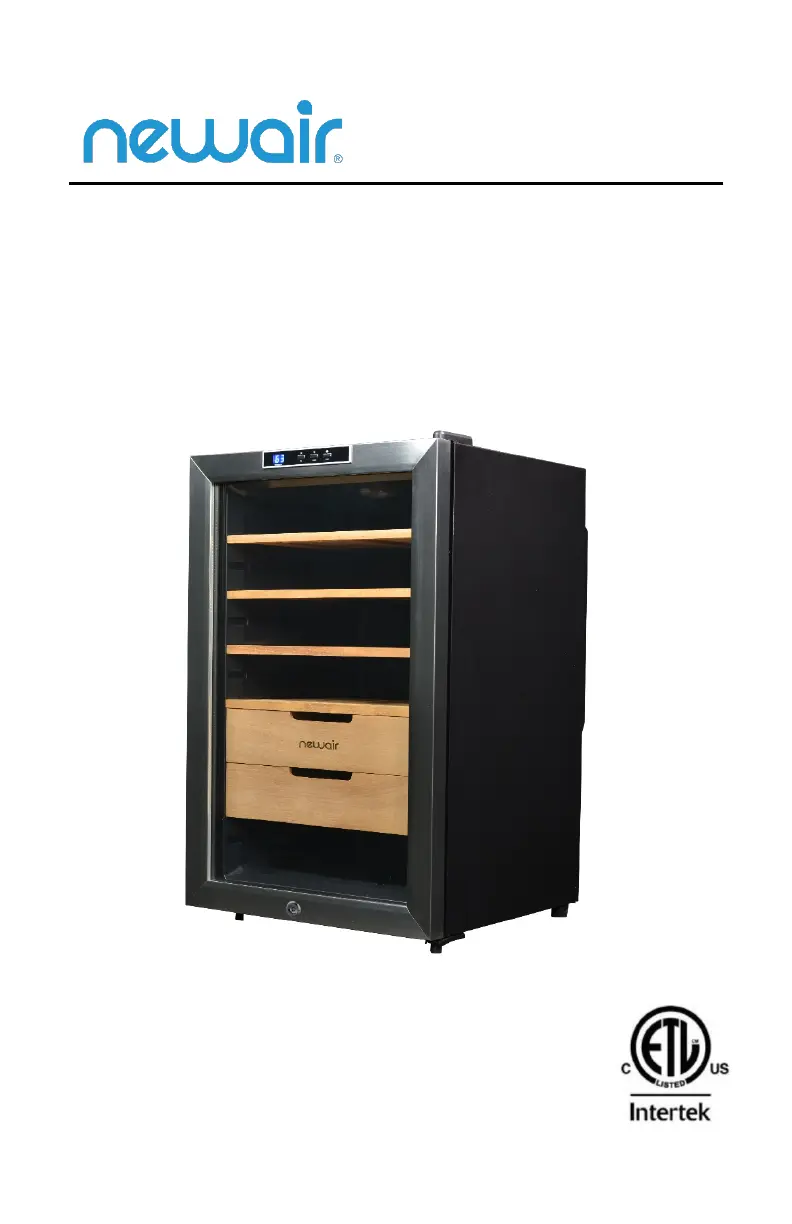
Electronic Humidor
CC-300H
OWNERS MANUAL
Read and save these instructions.

Questions and Answers

Overview

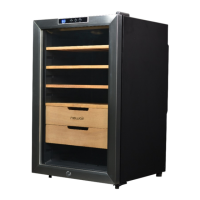
This document is an owner's manual for the NewAir CC-300H Climate Controlled Electronic Humidor.

Function Description

The NewAir CC-300H is a climate-controlled electronic humidor designed for storing cigars. Its primary function is to maintain an optimal environment for cigars by regulating both temperature and humidity. It is a freestanding unit, not intended for built-in installation. The humidor aims to provide a stable climate to prevent cigars from drying out or becoming over-humidified, and to protect them from external factors like direct sunlight and extreme temperatures. It also includes features for seasoning the humidor before initial use to ensure the wood shelves and drawers are at an ideal relative humidity (RH) and do not absorb humidity from the cigars.

Important Technical Specifications

  • Model No.: CC-300H
  • Power Consumption: 50W / 1A
  • Rated Voltage: 110-120V AC / 60Hz
  • Storage Capacity: 400 Cigars
  • Temperature Range: 54°F - 74°F
  • Ideal Operating Environment: Ambient temperature between 50°F - 80°F.
  • Ideal Cigar Storage Temperature: 65°F - 73°F
  • Ideal Relative Humidity (RH) for Cigars: 65% - 75% RH
  • Clearance: Requires 5 inches of clearance between the back of the unit and any adjacent walls for proper ventilation.
  • Grounding: Equipped with a 3-prong plug for electrical grounding to minimize the risk of electrical shock.

Usage Features

  • Temperature Control: The humidor allows users to set the desired internal temperature in increments of 1 degree within the range of 54°F to 74°F using "Up" and "Down" buttons on the display panel. The LED display shows the ambient temperature first, then the internal cabinet temperature, and flashes the set temperature for 5 seconds before reverting to the internal cabinet temperature.
  • Internal Light: A dedicated "Light" button on the display panel allows users to turn the internal light on or off.
  • Humidity Management: The unit includes a moisture container for adding humidity. Users can fill this container with distilled water or use a damp sponge wet with distilled water to maintain the desired relative humidity (65%-75% RH). This water should be changed after reaching the desired humidity and refilled as needed.
  • Drawer and Shelf Design: The drawers and shelves are designed to sit flush with the front edge of the cabinet to ensure proper air circulation. Users are advised to avoid pushing them against the rear wall.
  • Cigar Storage Recommendations:
    • Keep cigars in their original boxes and packaging as long as possible.
    • Store unwrapped cigars separately to prevent mingling of flavors.
    • Keep cigars out of direct sunlight to avoid UV ray damage.
    • Regularly check cigars for signs of tobacco beetles and mold.
    • Properly stored cigars can improve with age for 5-10 years or longer.

Maintenance Features

  • Cleaning the Humidor:
    • Unplug the unit and remove all contents.
    • Remove shelves and wash the interior with a solution of warm water and baking soda (2 tablespoons per quart of water).
    • Unscrew and rinse the water reservoir at the bottom of the unit.
    • Clean the exterior with a mild detergent and warm water.
    • Avoid getting the wood components wet during cleaning.
  • Factory Odor Removal: Before first use, wash the interior with mild detergent and warm water (avoiding the wood). Leave the door open to air dry. If a "plastic" smell persists, place a dish of baking soda or newspapers inside overnight, then run the unit for a full day to complete airing out.
  • Seasoning the Humidor: Before adding cigars, season the wood shelves and drawers. This involves placing a moisture container with distilled water (or a damp sponge with distilled water, ensuring it doesn't touch the wood) inside until the humidor reaches a relative humidity 5% higher than the preferred level (which can take up to 3 days). During this process, avoid opening the door unnecessarily.
  • Moving the Humidor:
    • Remove all stored items.
    • Securely tape down all loose internal parts.
    • Turn the leveling feet up to the base to prevent damage.
    • Tape the door shut.
    • Ensure the humidor remains in an upright position during transportation.
  • Troubleshooting Guide: The manual includes a troubleshooting section to address common issues such as the unit not operating, not being cold enough, light not working, vibrations, or excessive noise, providing possible causes and solutions.
  • Warranty: The appliance is covered by a limited manufacturer's warranty for one year from the original purchase date, covering defects in materials and workmanship under normal operating conditions. Warranty exclusions include power failure, transit damage, improper power supply, misuse, commercial use, natural disasters, external force, dismantled appliances, and excessive wear and tear.

NewAir CC-300H Specifications

General IconGeneral
BrandNewAir
ModelCC-300H
CategoryRefrigerator
LanguageEnglish

Related product manuals