10
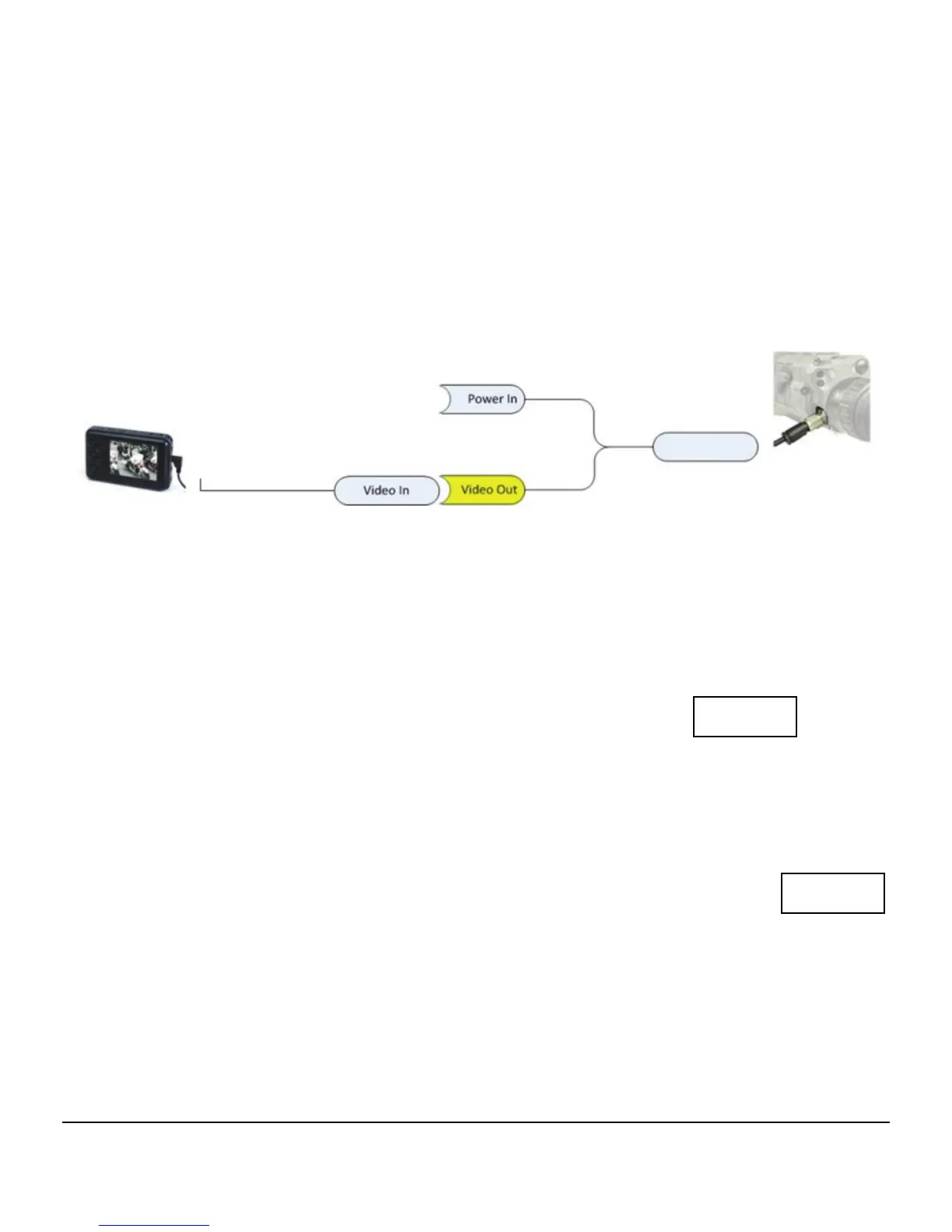
Connecting with video recorder
(Does not come with the unit - Can be purchased separately)
The SENTINEL can be connected to an external monitor or
video recorder. The video output is combined with the
multifunctional interface connector. Use the cable that is
included in the device delivery set to connect the SENTINEL to
external devices
Testing the Unit’s Readiness
1. Turn the unit on by pressing and holding the ON‐OFFbutton
for 1 second. The screen will switch on.
2. Using the two diopter rings, adjust the display clarity.
3. The unit is ready for operating.
4. Turn the unit off by pressing and holding down the ON‐OFF
button for one second. The POWER OFF caption will
appear on the screen.


 To Next Page