17
• The assist level is displayed at the top of the screen.
• Press ↑ or ↓ to select the level of assist required. The assist
level will always default to level 1 on start up.
3. Display Information
• To switch display information short press M to loop the
following information.
• Trip Miles (TRIP) → Riding Time (TRIP TIME) → Average Speed
(AVG) → Maximum Speed (MAX) → Total Mileage (ODO)
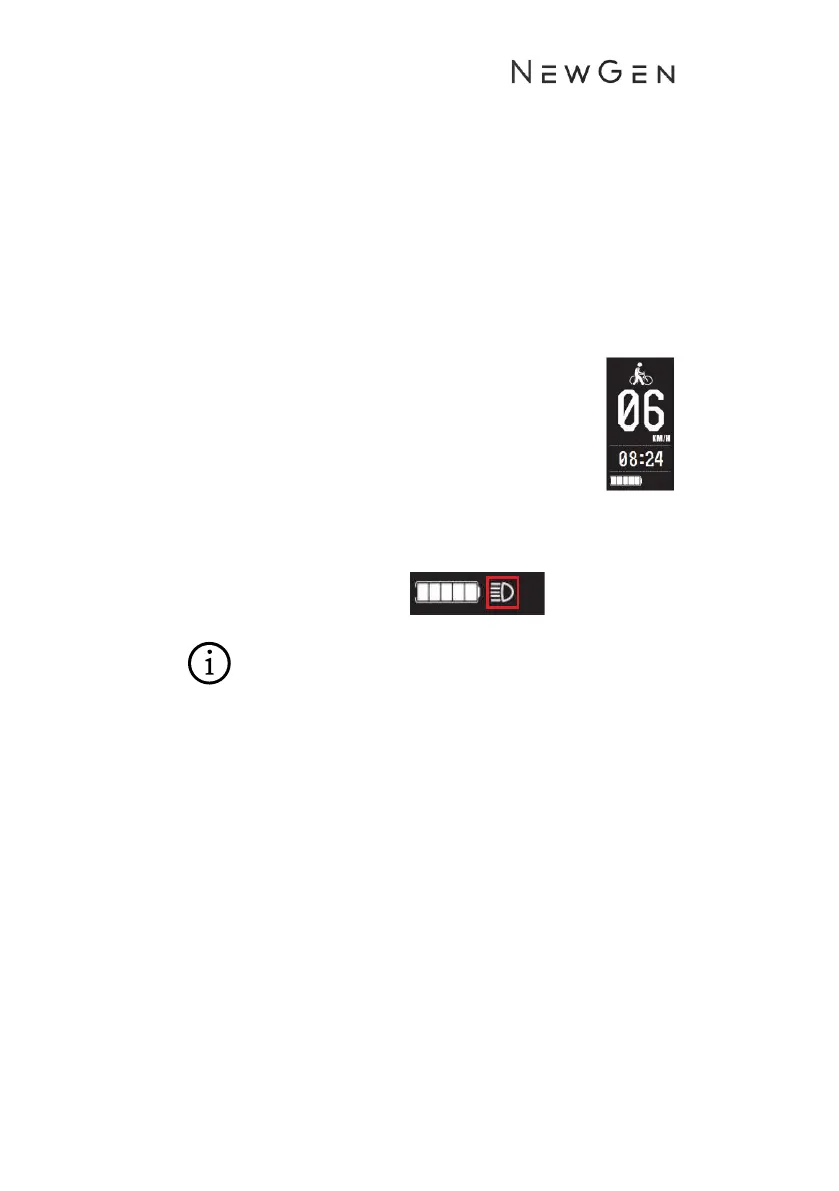
4. Walk Assist Mode
• Long press ↓ for 2 seconds and the bike will
enter into walk mode assist. This will engage
the motor and accelerating the bike to a
walking pace (6km/h). Hold the ↓ button to
maintain the walk mode. Walk mode will
disengage when the ↓ is not pressed.
5. Headlight on/off
• Long press ↑ for 2 seconds to turn the front utility light on.
The headlight icon will be displayed on the screen.
• Long press↑ for 2 seconds to turn the front light off.
• Always remember to have both the front and rear lights on
when riding at night or in low light conditions.


 To Next Page