18
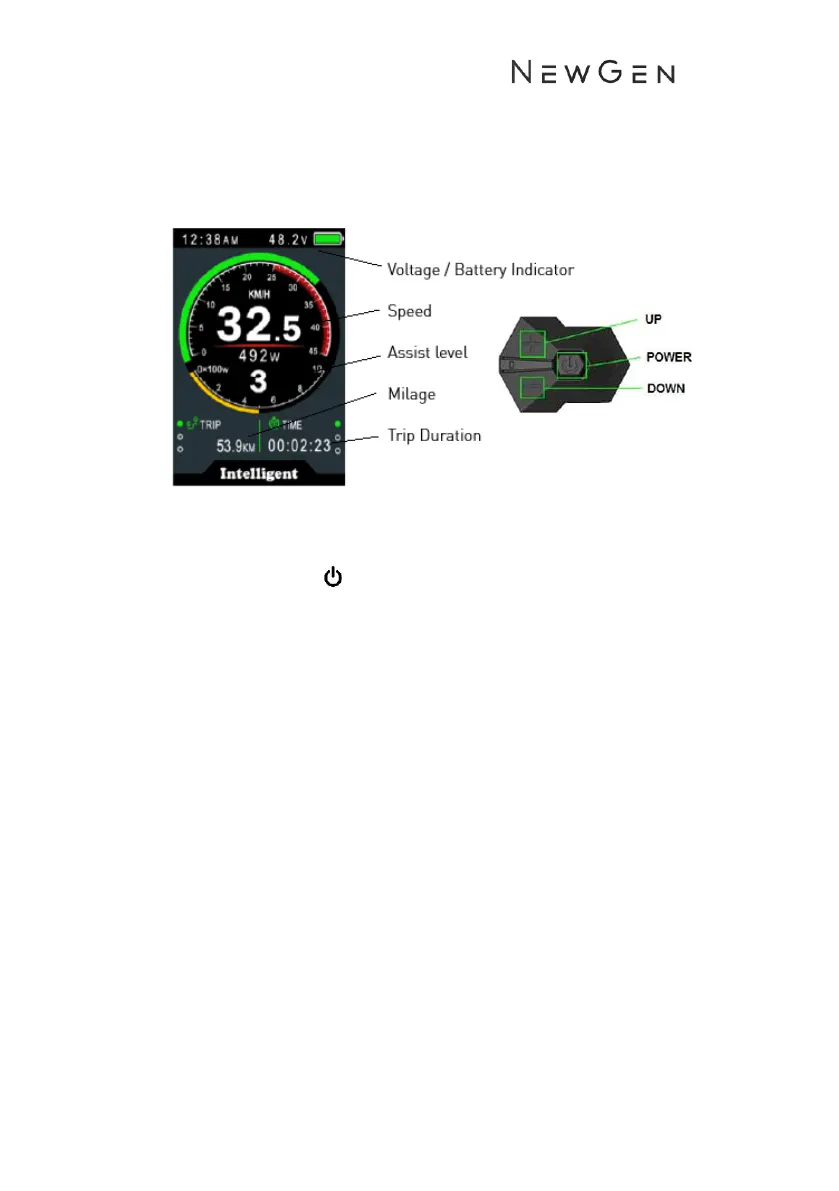
850c LCD Display
Operation
1. Turning On/Off
• Long press the power button in the middle of the control
module for 3 seconds.
• To switch off, long press the middle power button for 3
seconds. The display can be set to automatically shut down
after a specified period of inactivity.
2. Power Assist levels
• There are 5 levels of pedal assist. 1 being the lowest and 5
being the highest level of assist.
• The assist level is show in the middle of the display.
• Press ↑ or ↓ on the control module to select the level of
assist required. The assist level will always default to level 1
on start up.
3. Display Information
• To switch display information short press the power button to
loop the following information.
• speed and mileage mode, AVG Speed->MAX Speed->RT
Speed-> Trip->ODO-> Time.
4. Walk Assist Mode


 To Next Page