EasyManua.ls Logo

Newland NLS-N7 - User Manual

Newland NLS-N7
61 pages
Print Icon
To Next Page IconTo Next Page
Loading...
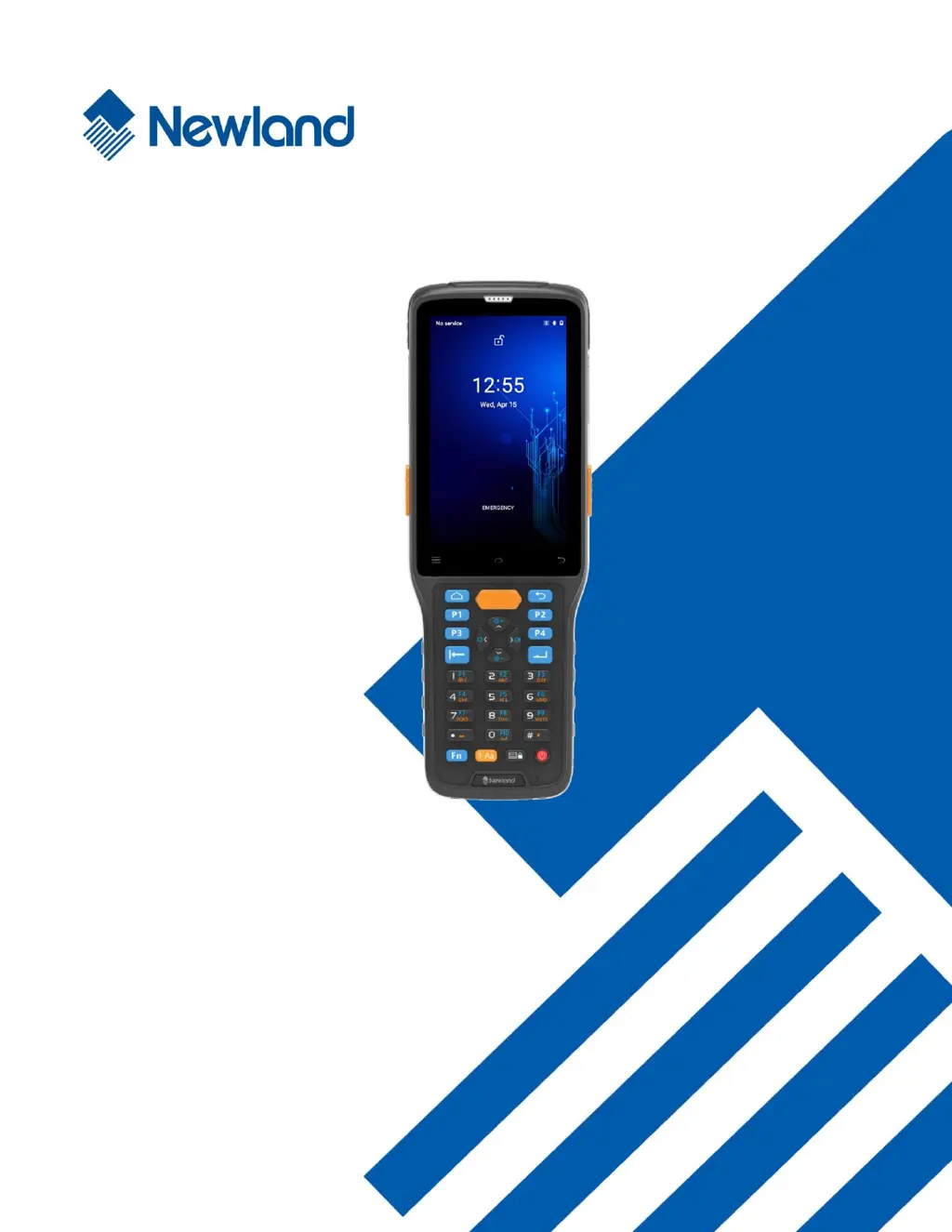
NLS-N7 (Android 10)
Portable Data Collector
User Guide

Table of Contents

Questions and Answers

Summary

Disclaimer

Revision History

About This Guide

Introduction to the Guide

Provides a general overview and description of the manual's content.

Chapter Breakdown

Details the content covered in each chapter of the user guide.

Further Information Resources

Links to website for additional product and support information.

Getting Started with NLS-N7

Initial Setup and Unpacking

Includes unpacking the device, verifying contents, and initial setup overview.

Optional Accessories

Lists and describes optional accessories available for the NLS-N7.

Safety Guidelines

General Safety Precautions

Critical safety instructions for proper and safe operation of the terminal.

NLS-N7 Hardware Overview

Front and Side Components

Identification of keys and ports on the front and sides of the NLS-N7.

Top, Bottom, and Rear Components

Identification of ports, speakers, and latches on the top, bottom, and rear of the NLS-N7.

Battery Management

Installing the Battery

Step-by-step instructions for inserting the device's battery.

Removing the Battery

Step-by-step instructions for removing the device's battery.

Charging and Status Indicators

Charging the Battery

How to connect the terminal for charging using the AC adapter or USB cable.

Understanding LED Status Lights

Explanation of LED indicators for charging status and scanning events.

SIM and TF Card Management

Installing SIM and TF Cards

Guide to inserting SIM and TF (microSD) cards into the terminal's slots.

Removing SIM and TF Cards

Instructions for removing SIM and TF (microSD) cards from the terminal.

Basic Device Operations

Power Key Functions

Details on using the power key for turning on, off, rebooting, and screenshots.

Home Screen Navigation

How to navigate the home screen, open apps, and manage icons.

Status Icons Explained

Explanation of various icons displayed in the device's notification bar.

Notification Bar and Shortcuts

Accessing and using the notification bar and its quick shortcut list.

Data Transfer and Driver Setup

Transferring Files via USB

Steps to connect the NLS-N7 to a PC and transfer files using a USB cable.

Installing PC Drivers

Guidance on installing necessary drivers for seamless PC connectivity and file transfer.

App Management

Installing Applications

Methods for installing new apps from various sources onto the terminal.

Uninstalling Applications

Procedures for removing installed applications from the device.

Barcode Scanning

Scanning Tips and Introduction

Provides general tips and an introduction to barcode scanning setup.

Scanning 1 D Barcodes

Optimal techniques for scanning 1D barcodes, including angle and distance.

Scanning 2 D Barcodes

Optimal techniques for scanning 2D barcodes, including angles and distance.

Device Settings and Configuration

Wi-Fi Network Connection

Steps to connect the N7 to available Wi-Fi networks.

Wi-Fi IP Configuration

How to configure static or DHCP IP settings for Wi-Fi.

Bluetooth Connection and Management

Pairing and managing Bluetooth devices for wireless communication.

SIM Card and Mobile Network

Managing SIM cards and enabling cellular data connections.

APN Settings for Internet

How to configure APN settings for cellular data connectivity.

Display Settings

Configuration options for brightness, night light, wallpaper, and font size.

Apps & Notifications Settings

Managing app permissions, storage, and notifications.

GPS Location Services

Enabling and using location services on the N7.

Screen Lock Configuration

Setting up various screen lock methods like PIN, pattern, or password.

Language and Input Settings

Setting device language and input methods.

Date and Time Configuration

Manually setting or using network-provided date and time.

Battery Backup Feature

How to use the battery backup feature for safe battery replacement.

Factory Reset and About Phone

Restoring factory defaults and viewing device information.

Key Map Customization

Remapping device keys to functions or launching applications.

Scanner and NFC Features

Scanner Configuration Introduction

Overview of scanner programming and settings.

Enabling and Disabling Scanner

How to activate or deactivate the device's scanning functionality.

Scanner Output Modes

Details the three modes for outputting scanned data: keystroke, API, and EditText.

Scanner Scan Modes

Explains the four available scan modes: Level, Continuous, Pulse, and Delay.

Scan Trigger Options

Configuring which physical buttons or triggers activate the scanner.

Prefix and Suffix Settings

Adding custom prefixes or suffixes to barcode data.

Good Read Indicators

Setting up audio, vibration, or LED feedback for successful scans.

Barcode Encoding

Selecting the character encoding for interpreting barcode data.

Barcode Data Editing

Using scripts to modify or edit scanned barcode data.

Barcode Symbologies

Enabling/disabling specific 1D/2D barcode types and advanced settings.

NFC Feature Activation

Steps to enable and utilize the Near Field Communication (NFC) feature.

System Updates

System Update Introduction

Overview of the two methods for updating the device's system software.

Online System Update

Instructions for performing system updates over a network connection.

Local System Update via N7 Drive

Guide to updating via files transferred to the N7's internal storage.

Local System Update via TF Card

Guide to updating via files transferred to the TF (microSD) card.

Maintenance and Troubleshooting

Safety and Handling Guidelines

Essential safety information and handling precautions for the terminal.

Disassembly, Power, and Damage

Warnings against disassembly, proper power supply use, and handling damage.

Environmental and Operational Safety

Precautions for use in hospitals, hazardous areas, and traffic.

Operating Environment and Cleaning

Guidelines for operating conditions, cleaning, and maintenance procedures.

Battery Safety and Repair

Critical battery safety rules and information on seeking repair services.

Troubleshooting Common Issues

Solutions for problems related to LCD, battery, scanning, and keyboard.

Touch Screen and System Troubleshooting

Solutions for touch screen responsiveness and system stability issues.

System Customization and Software Development

Introduction to Customization

Overview of common customization requests for the NLS-N7.

Customization Options List

Details various customization possibilities like key remapping and app management.

Software Development Resources

Reference to the API handbook for developers.

Global Contact Information

Headquarters and Regional Offices

Contact details for Newland's headquarters and various regional offices worldwide.

Newland NLS-N7 Specifications

General IconGeneral
BrandNewland
ModelNLS-N7
CategoryData Loggers
LanguageEnglish

Related product manuals