Need help?
Do you have a question about the Newland NLS-PT60 and is the answer not in the manual?
Provides instructions for programming and operating the NLS-PT60 mobile computer.
Lists the documentation available for the PT60, including Quick Start, User Guide, API Manual, and WinCE Utility Software User Guide.
Outlines the content of each chapter in the manual, detailing what each section covers.
Explains how to view the terminal's hardware and software versions, build time, and serial number.
Provides the website address for additional product and support information.
Lists parts and accessories, and explains battery installation, removal, charging, and initial setup for the PT60.
Instructions for carefully removing protective materials and verifying package contents upon receiving the PT60.
Lists optional accessories for the PT60, such as the CD61 Cradle and DC charging cable.
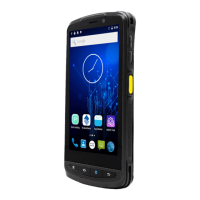
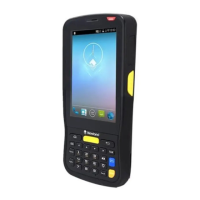
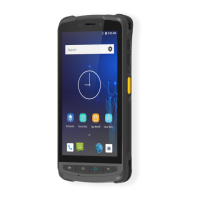
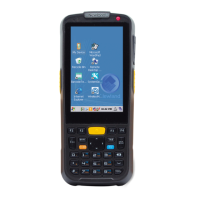
Identifies and labels the physical components of the NLS-PT60 mobile computer.
Explains the function of various keys on the PT60 keypad and side keys.
Describes the Scan/Decode/Communication LED and Charging LED, including their status indications.
Identifies and labels the components of the PT60 cradle, including charging slot and LED.
Step-by-step instructions for installing the battery into the PT60.
Step-by-step instructions for removing the battery from the PT60.
Explains how to charge the PT60 battery using AC adapter, USB cable, or cradle.
Instructions on how to turn on, suspend, and wake up the PT60 terminal.
Guides the user through the process of calibrating the PT60's touch screen for accurate input.
Details how to check the current battery level and understand system power states (running, idle, suspend).
Provides steps for installing a MicroSD card for external storage in the PT60.
Explains how to connect the PT60 to a PC using a USB cable for data communication.
Details the process of connecting the PT60 to a PC using the cradle and USB cable.
Instructions on how to attach and adjust the hand strap for comfortable handling of the terminal.
Provides the basics of setting and using the PT60 mobile computer.
Explains the various icons that may appear in the PT60's status bar and their meanings.
Details the icons found in the PT60's settings menu and their corresponding functions.
Lists and describes the icons for various programs and tools available on the PT60.
Explains the function of various keys on the PT60 keypad and side keys.
Details the layout and usage of the alphabetic and numeric keypads on the PT60.
Explains the usage of function keys (F1-F4), Fn key, TOOL key, and Number-Letters Switch.
Explains how to use the stylus for selecting items, entering information, and interacting with the PT60.
Guides the user on how to adjust system volume and sound settings on the PT60.
Describes how to use the Peripheral Switch program to turn Bluetooth/WiFi modules on or off.
Explains how to adjust screen and keyboard backlight settings, including normal and low-power modes.
Guides on using the Storage Manager tool for formatting, dismounting, and managing memory partitions.
Details procedures for performing warm and cold resets on the PT60.
Describes how to configure the terminal to automatically lock its screen and keypad after a period of inactivity.
Guides on configuring scanner settings, including output modes and barcode data editing.
Explains the three output modes for barcode data: API, keyboard, and clipboard.
Details the different decode modes (Level, Pulse, Continuous, API) and timeout/interval settings.
Explains how to select keys or key combinations to act as the scan trigger.
Details features for appending prefix/suffix, extracting data, and replacing strings in barcode data.
Explains how to configure indicators (Beep, Vibration, LED) for a good barcode read.
Guides on setting the decoding area for 2D barcode scanners to read specific barcodes in close proximity.
Explains how to enable/disable barcode symbologies and set parameters on the Barcode Setting screen.
Describes how to use the Test tab to scan barcodes and verify the terminal's scanning functionality.
Provides guidance on adjusting scan angle and distance for optimal 1D barcode scanning.
Offers advice on scan angle and distance for effective 2D barcode scanning.
Guides on accessing and configuring administrative settings, including password setup and desktop icon management.
Step-by-step instructions for establishing a Bluetooth connection with other devices.
Provides steps to connect the PT60 to a WiFi network, including enabling WiFi and selecting a network.
Explains how to launch the WiFi tool to view connection details and status.
Details how to check IP address, MAC address, gateway, and DHCP server information.
Guides on checking network connection status, SSID, AP MAC, channel, and signal strength.
Explains how to configure WiFi power, mode, protocol, and roaming settings.
Describes how to test network connectivity using ping and export diagnostic logs.
States that Microsoft ActiveSync is required for data synchronization between the terminal and PC.
Provides instructions to download and install Microsoft ActiveSync from the Microsoft website.
Guides on setting up new partnerships and selecting synchronization settings for data transfer.
Covers important safety, handling information, and troubleshooting solutions for the terminal.
Provides critical safety warnings and handling guidelines for the PT60.
Warns against disassembling or retrofitting the terminal yourself as it voids the warranty.
Advises to use only the included AC adapter to prevent terminal damage.
Instructs to keep the terminal away from heat sources and disconnect power if unusual conditions occur.
Advises to cut off power and contact support if the terminal is damaged from a drop.
Warns against pressing or striking the LCD screen and handling cracked screens safely.
Advises against placing heavy objects on the terminal to prevent injury.
Provides guidelines on safe placement of the terminal, avoiding unstable surfaces and extreme conditions.
Warns against using wireless features in prohibited areas or where interference may occur.
Offers advice on terminal operation, reset procedures, cleaning, and general maintenance.
Outlines safety precautions for battery usage, charging, and disposal.
Presents a table of common problems, their possible causes, and solutions for the PT60.
Lists problems related to keypad unresponsiveness or incorrect response and their solutions.
Covers issues like charging LED off, short battery life, and depleted batteries, with troubleshooting steps.
Provides solutions for problems encountered during USB communication with the PC.
Offers troubleshooting steps for 'No display' on the LCD screen.
Addresses problems with the system not switching on or halting, with corresponding solutions.
 General
| Battery Capacity | 4000 mAh |
|---|---|
| Processor | Octa-core 2.0GHz |
| GPS | Yes |
| Sealing | IP65 |
| NFC | Yes |
| Scanner Type | 2D |
| Connectivity | USB, Bluetooth, Wi-Fi |
| Operating System | Android |
| Touch Panel | Capacitive |
| Expansion | MicroSD up to 128 GB |
| Barcode Scanner | 2D Barcode Scanner |
| Camera | 13 MP rear |
| Wireless Communication | Wi-Fi 802.11 a/b/g/n/ac |
| Operating Temperature | -10°C to 50°C |
| Storage Temperature | -40°C to 70°C |
| Drop Specification | 1.5 m |

 To Next Page