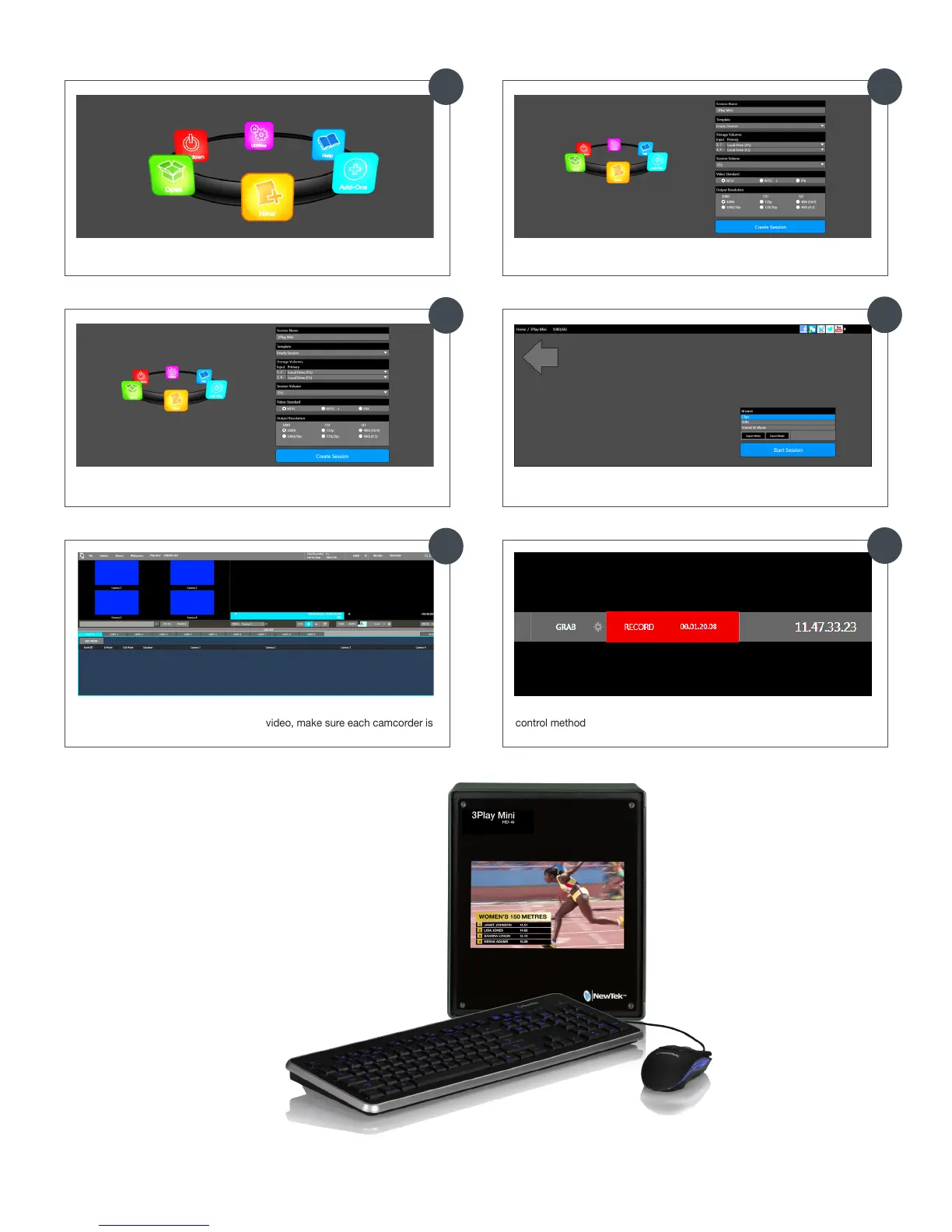
Click the Create Session button to proceed to the Session screen
At the Home Screen, select the New icon
Once you are in the Live Desktop, 3Play automatically detects each
connected camcorder (If you do not see video, make sure each camcorder is
on and connected properly)
Click the Start Session button to enter the Live Desktop
Enter a Session Name and choose an Output Resolution
Click the Record button to begin recording and operate using any supported
control method
Getting Started
21
22
23
24
19 20
NewTek periodically issues free software updates and downloads for 3Play that provide enhanced performance and new features.
Once your system is registered, you may immediately access these downloads by visiting your personal registration page at
register.newtek.com.



 To Next Page