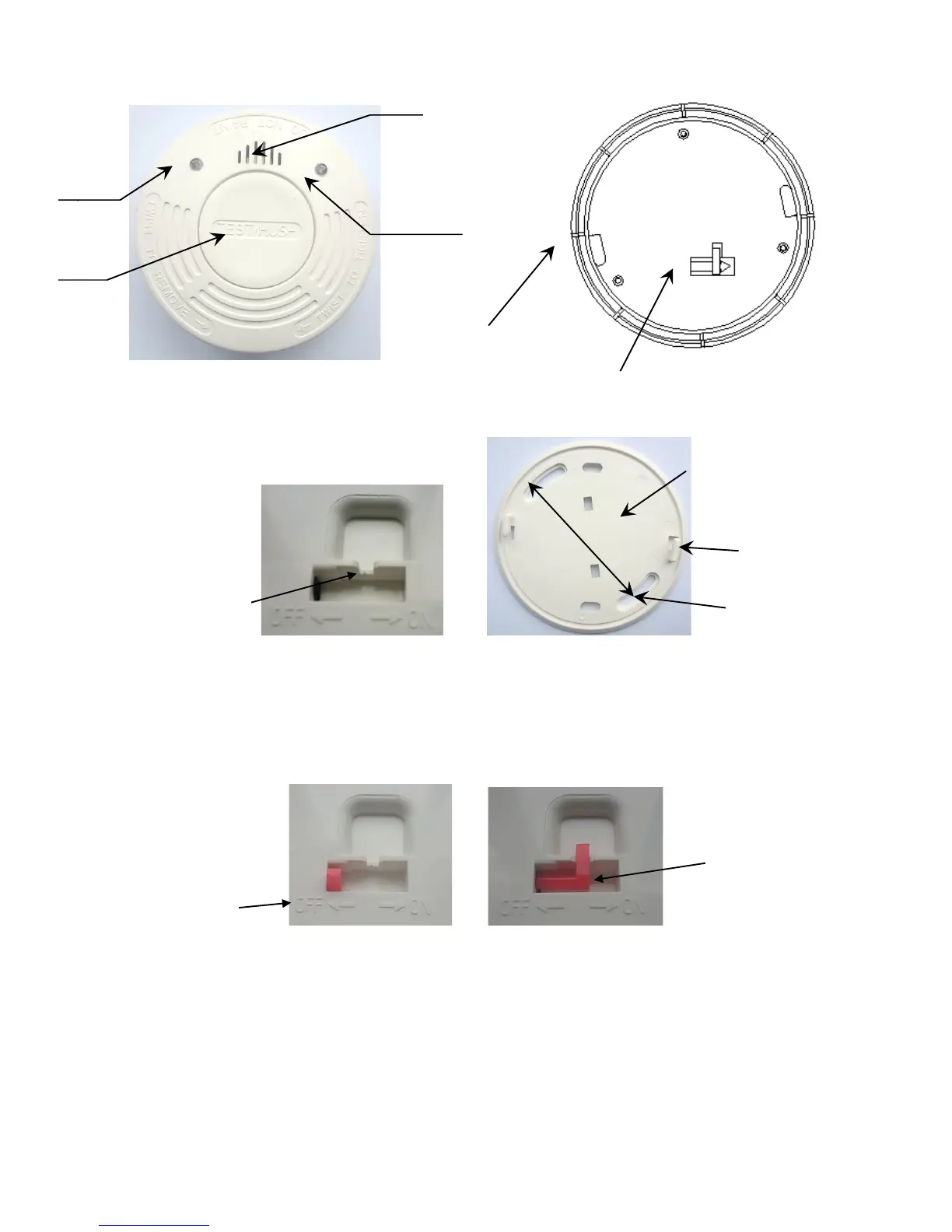
1. Take out the product and detach the mounting plate.
2. The battery pin (red) is OFF at beginning as figure 3
Turn it ON the battery pin will be moved into the pin groove position as figure 4
!
figure 3 figure 4
Make a battery pin handle and base surface on the same plane;
Move the battery pin to the position of slot, turn the battery pin and embed the pin into the slot to make
the pin levels with the base surface.
3. Installation of base
Press the hook of base mounting plate into detector’s positioning groove. Turn it clockwise and let
it slip into the groove.



 To Next Page