Need help?
Do you have a question about the Nexcom PEAK 715-HT and is the answer not in the manual?
Contains copyright, disclaimer, and acknowledgements regarding the manual and product.
Covers FCC compliance for Class A devices and CE certification requirements for the system.
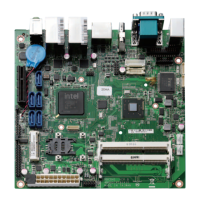
Details the key features and specifications of the PEAK 715-HT series single board computer.
Outlines the technical specifications of the PEAK 715-HT series, including system architecture, CPU support, memory, and BIOS.
Compares the main features of the different PEAK 715-HT series models available.
Lists the items included in the PEAK 715-HT series package for verification upon receipt.
Defines the function of each jumper on the motherboard for system configuration.
Explains the procedure for correctly installing and setting jumper caps on the motherboard pins.
Provides the procedure for clearing the CMOS settings using the JP2 jumper to reset BIOS defaults.
Details how to configure the system's power mode using the J28 and J17 jumpers.
Describes system memory configurations, including compatible DIMM types and capacities.
Provides step-by-step instructions with illustrations for installing DIMM modules into the memory slots.
Guides users through the process of safely removing and installing a new CPU.
Details the procedure for correctly installing the CPU fan heatsink assembly for optimal thermal management.
Explains how to enter the BIOS setup utility, navigate menus, and use control keys for system configuration.
Details configuration of standard CMOS, advanced BIOS features, chipset settings, integrated peripherals, and PnP/PCI.
Covers power management, PC health status monitoring, and frequency/voltage control for system optimization.
Explains options for loading defaults, setting passwords, saving, and exiting the BIOS setup utility.
Guides users on how to locate and access the driver installation CD-ROM menu.
Provides a step-by-step guide for installing the VGA driver software for proper display output.
Details the installation process for the INF (Intel Chipset Software Installation Utility).
Explains how to install the IAA (Intel Application Accelerator) for enhanced system performance.
Details pin assignments for AC97, USB, Keylock, and GPIO connectors as shown on page 64.
Details pin assignments for IR, Keyboard, SMBUS, ATX, and Power connectors as shown on page 65.
Details pin assignments for Speaker, IDE, and AUX Power connectors as shown on page 66.
Explains the function and working procedure of the Watchdog Timer (WDT) for system monitoring.
Describes the bit definition of the Watchdog Timer Control Register for setting its operational mode.
Outlines the steps for programming the Watchdog Timer, including power-on reset and clearing the timer.
 General
| Brand | Nexcom |
|---|---|
| Model | PEAK 715-HT |
| Category | Motherboard |
| Language | English |


 To Next Page