Need help?
Do you have a question about the Nexen Paper Checker PC210 and is the answer not in the manual?
Details transmitter/receiver positioning, inclination (45° ±5°), gap (2.36 ± 0.20 in.), lateral (0.20 in.), and angular (±3°) displacement.
Connect AC Power (100-240VAC) to Terminals 1 and 2, and the ground wire to Terminal 3.
Connect the Sensor Transmitter cable to Terminals 4 and 5, and the Receiver cable to Terminals 17, 18, 19, and 20.
Terminals 7, 8, 9 for Web Break Relay; 10, 11, 12 for Double Sheet Feed/Web Splice Relay.
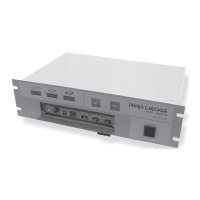
Web Break (RED), Normal Run (GREEN), and Double Feed/Splice (RED) LEDs indicate machine conditions.
Test Switch enables sensitivity testing. Reset Switch manually resets the system after a feed error.
Programs PC210 logic for different machine feed conditions (e.g., Web Splice Only, Web Splice/Break).
Determines auto or manual reset method after a double feed or splice; time delay is adjustable.
Used for sheet-fed machinery detecting double sheet-feeds; Normal Run, Web Break, and Double Feed indicators described.
Used for web feed machinery to detect normal run and web splices; indicator behavior during normal run.
A splice causes the indicator to glow; reset is automatic (AUTO) or manual (MAN) via switch or terminals.
Adjusts Sensor Signal Gain to ensure Normal Run LED (green) comes on and error LEDs (red) go out.
 General
| Brand | Nexen |
|---|---|
| Model | Paper Checker PC210 |
| Category | Controller |
| Language | English |

 To Next Page