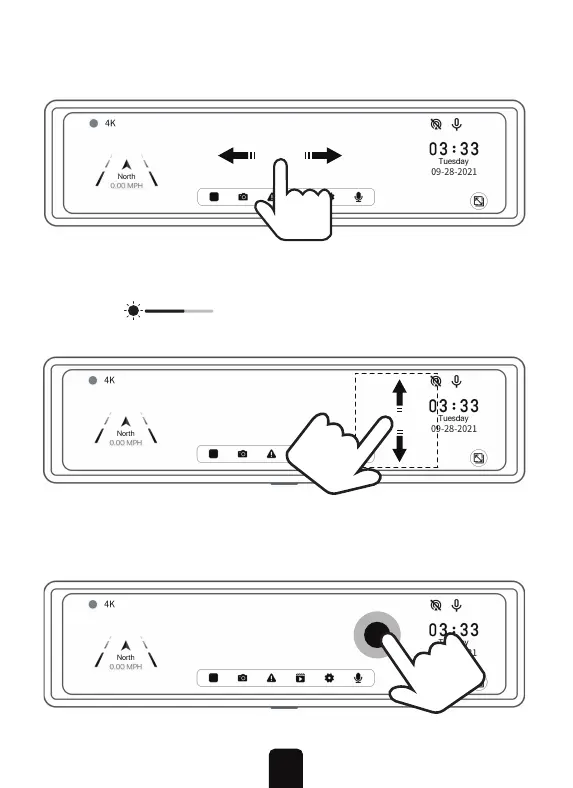
3. Swipe up or down on the right-hand side of the screen to
adjust the brightness. When swiping in this area, the brightness
indicator will appear and you can also use this
indicator to adjust the brightness.
4. Double-tap the screen to save the currently displayed image
or video. Use this while operating the vehicle to quickly save
the Dashcam's information.
2. Swipe left or right on the screen to switch between front
and rear view cameras.
9


 To Next Page