8. Sound Recording Icon: Tap this icon to record sound or
stop recording sound.
9. GPS Status Icons: When the GPS Antenna is connected and
active it will display this icon: , When the GPS Antenna is
connected but not active it will display this icon: , When
the GPS Antenna is not connected to the Dashcam, no icon
will be displayed.
10. Sound Recording Status Icon: When the Dashcam is
recording sound it will display this icon: , When the
Dashcam is not recording sound it will display this icon: .
11. Preview Interface Icon: Tap this icon at the bottom right of
corner to enter the preview interface. The icon may only be
partially visible depending on what is currently on the screen.
12. Date / Time Stamp: The date and time will be displayed in
the upper right hand corner of the primary display.
HOW TO USE THE DASHCAM'S SCREEN INTERFACE
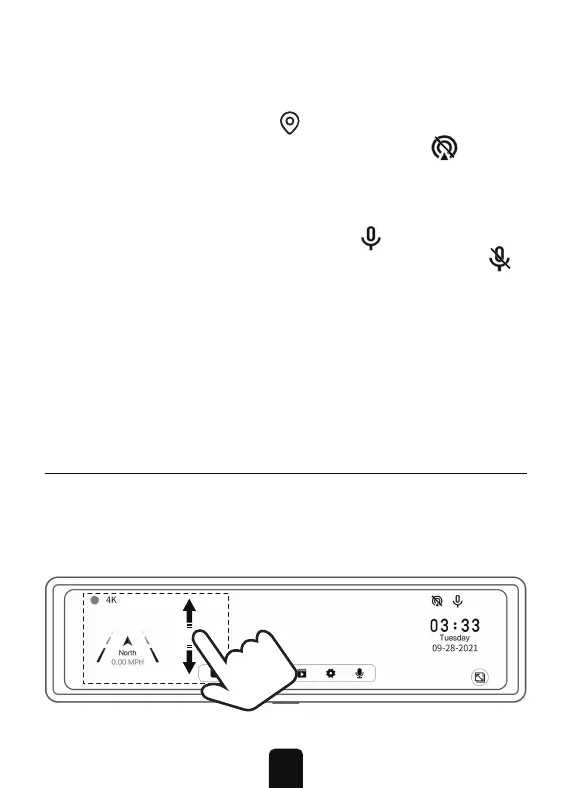
1. Swipe up or down on the left-hand side of the screen to
adjust the viewing angle.
SCREEN SHORTCUT OPERATIONS
8


 To Next Page