OK
V
1
7
8
10
99
311
12 13
4
14
5
2
6
8
nexigo.com/iris-support
For FAQ and further support, please visit:
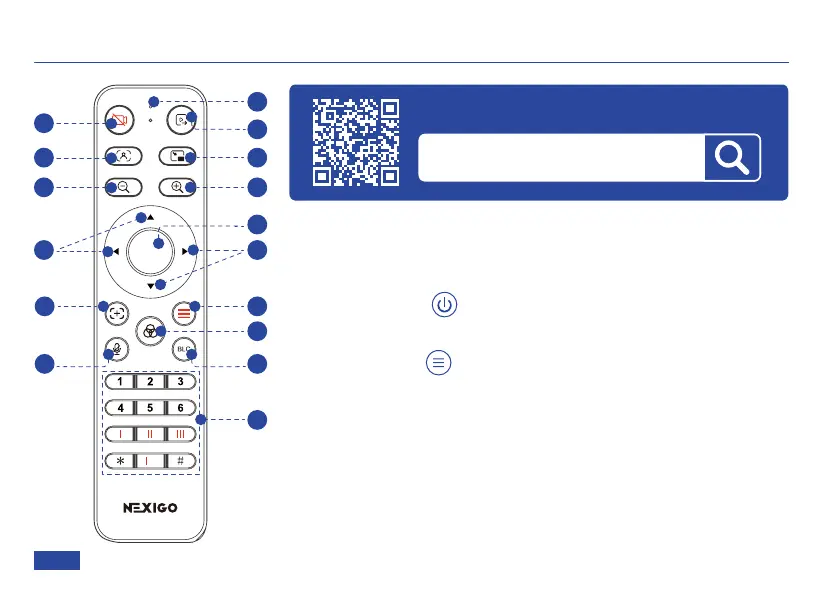
REMOTE CONTROL
1. Indicator light
A red indicator light will flash each time you press a button. If
you don’t see it light up, check the batteries and try again.
2. Power Button
Press the red power button to turn the webcam on or off.
3. Menu Button (See details in OSD Menu Introduction on
page 21)
Press the menu button once to open or close the on-screen
display (OSD) menu.
US 01EN 15


 To Next Page