Note: A specific rear projection screen is required to use the rear
projection function.
QUICK START
CHOOSING A LOCATION
The room’s size and layout will be the most important factors in
choosing where to place the projector. Consider the following
when selecting a location:
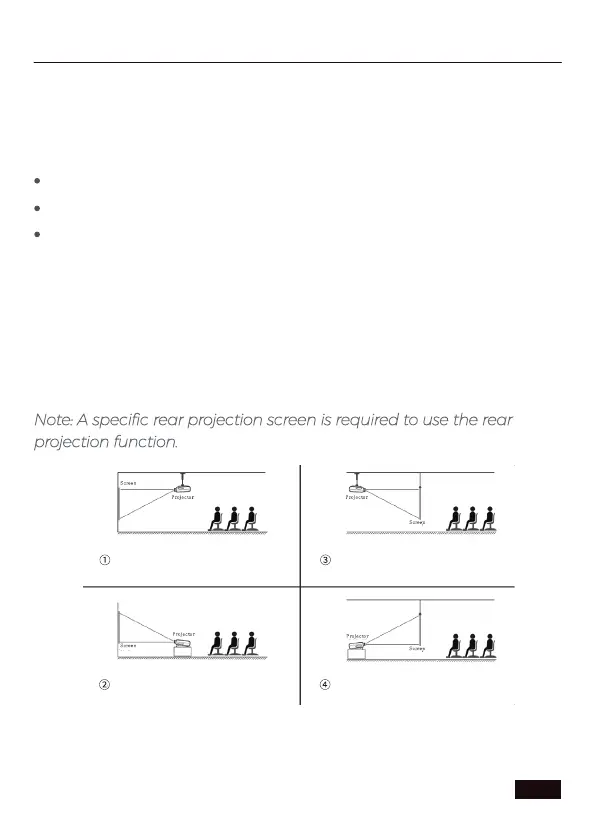
The projector is designed to be installed in one of four layouts. You
can either hang the projector from the ceiling via a standard 1/4"
mounting bracket (sold separately) or simply place it on a stable
surface. You may need to change the projection mode so the
images display correctly. Select Projection Mode under Setting>
Picture Setting, then choose your preferred projection mode
(see below).
The size, shape, and position of your screen.
Location of a suitable power outlet.
Ensure the projector has sucient space around it for airflow.
Ceilling mount (front projection) Ceilling mount (rear projection)
Desktop mount (rear projection)
Desktop mount (front projection)
US 01EN 06



 To Next Page