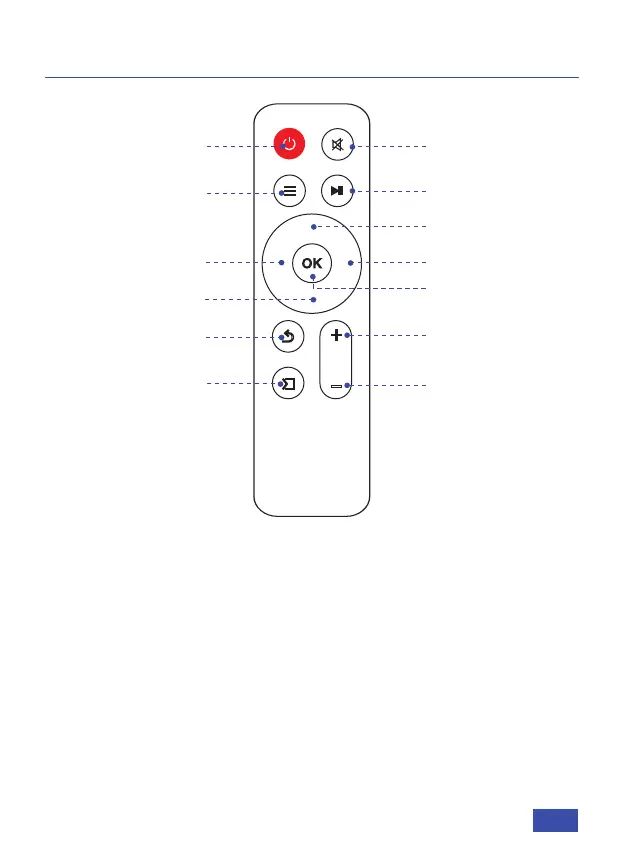
Power Switch
Mute
Menu
Pause
Right
OK
Left
Return
Signal Source
Vol+
Vol-
Up
Down
REMOTE INTRODUCTION
Power Switch: Toggles power on and off
Mute: Toggles audio on and off
Menu: Displays the menu
Pause: Toggles video pause and continue
Left/Right/Up/Down: Moves the cursor in the on screen display
OK: Selects the option your cursor is currently on
Return: Returns to the previous screen
Signal Source: Displays the source selection bar
Vol +: Increases the volume level
Vol -: Decreases the volume level
US 04



 To Next Page