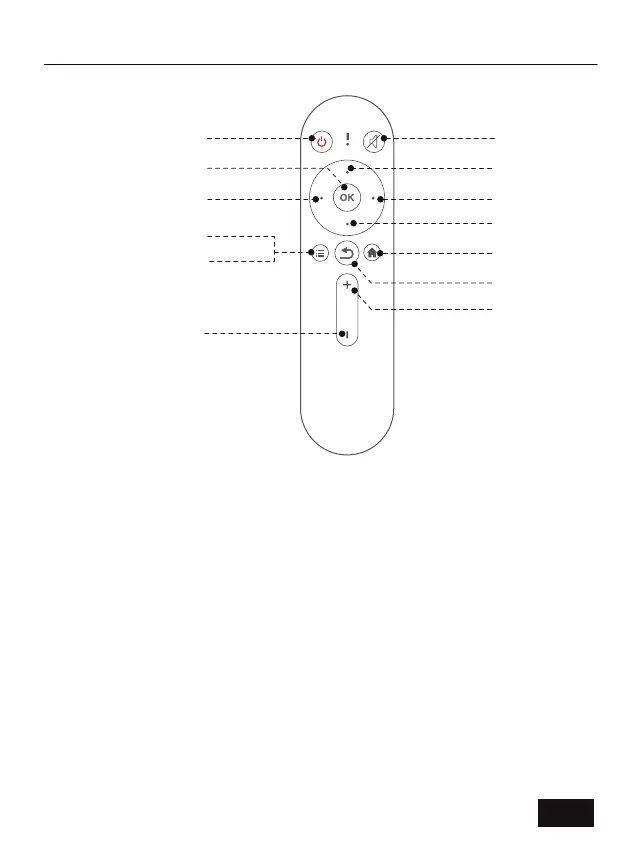
Power Switch: Toggles power on and off.
Mute: Toggles audio on and off.
Left / Right / Up / Down: Navigates through the on-screen display.
OK: Selects the current option.
Menu (Short Press): Displays the menu.
Input Source (Long Press): Displays the source selection bar.
Return: Returns to the previous screen.
Home: Returns to the home page.
Vol +: Increases the volume level.
Vol -: Decreases the volume level.
REMOTE CONTROL DIAGRAM AND FUNCTIONS
Mute
Power Switch
OK
Left
Menu (Short Press)
Input Source
(Long Press)
Vol -
Up
Right
Return
Home
Vol +
Down
EN 04



 To Next Page