To complete a local update, please follow these steps:
1. Download the latest firmware to a USB flash drive, and then insert
the flash drive into a USB port on the projector.
2. In the on-screen menu select: Settings > Updates > Local Update.
3. The software will be updated automatically; do not try to use the
projector until the update is complete.
Note: Please do not attempt to use or turn off the projector during the
update, otherwise it could cause potential damage to the projector. The
projector will be reset after the software update is complete, and all
saved settings will be erased.
If you're having any issues with your updates, please contact our
customer service team at cs@nexigo.com.
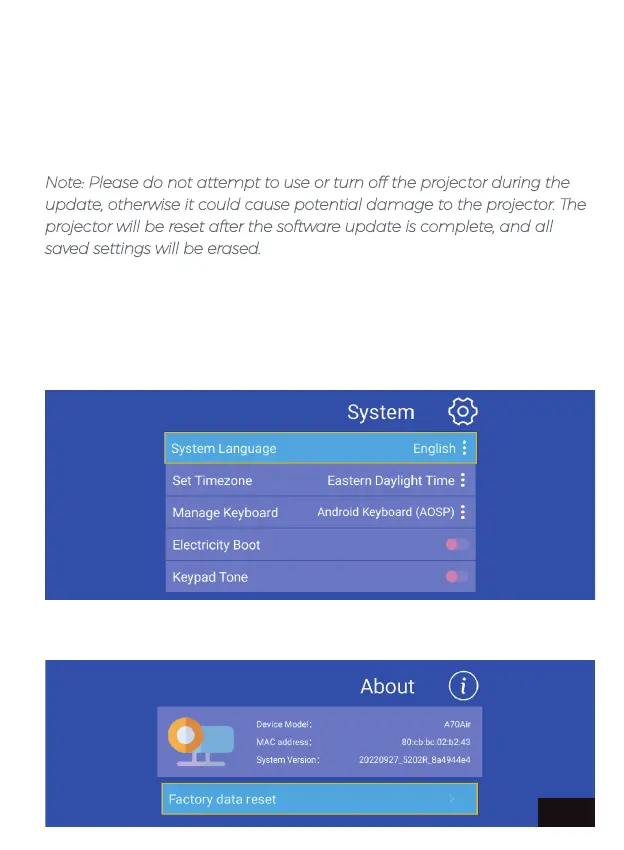
SYSTEM SETTING - Adjust the system language, timezone, keyboard
style, etc.
ABOUT - Check the projector's information.
EN 24


 To Next Page