DRAFT 3 06 09 2021
15
20. Repeat the process for the registry numbers listed below.
NOTE: Some settings may already match the numbers below and do not need to be changed.
CAUTION: Do not change any other settings. Doing so may damage your spindle.
Reg. # New setting
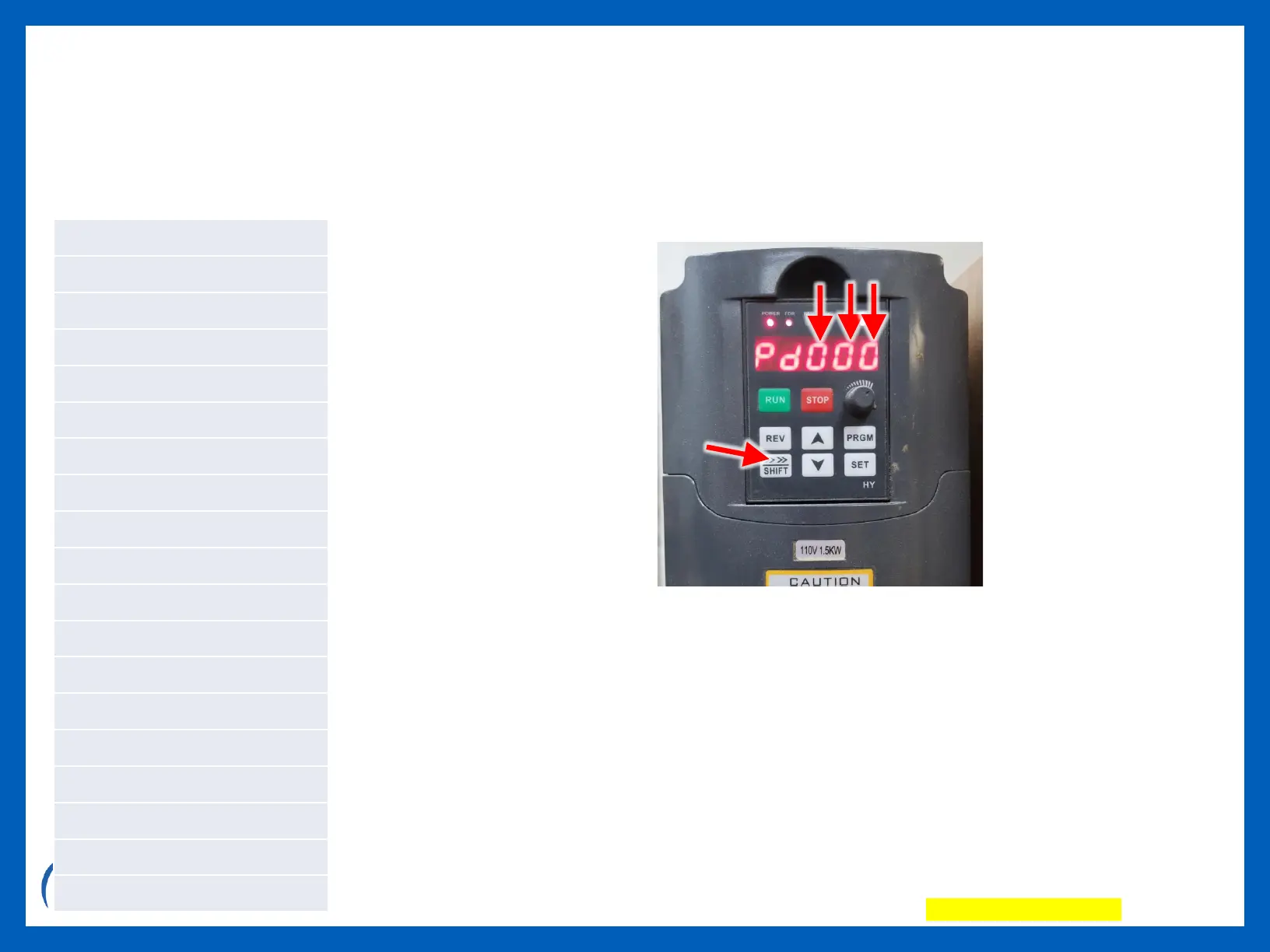
Programming TIP: Use the SHIFT button to move between number positions on
the display. Doing so, allows you to skip over unneeded registry numbers (i.e.
PD015 to PD070).
NOTE: When the display is in normal/default view (not Pd view), pressing the Shift
key toggles the view between Hz, RPM, and other views. The RPM view appears
as all zeros until a .tap file is run, at which time it shows the RPM speed that was
set in VCarve or Aspire.


 To Next Page