English
06
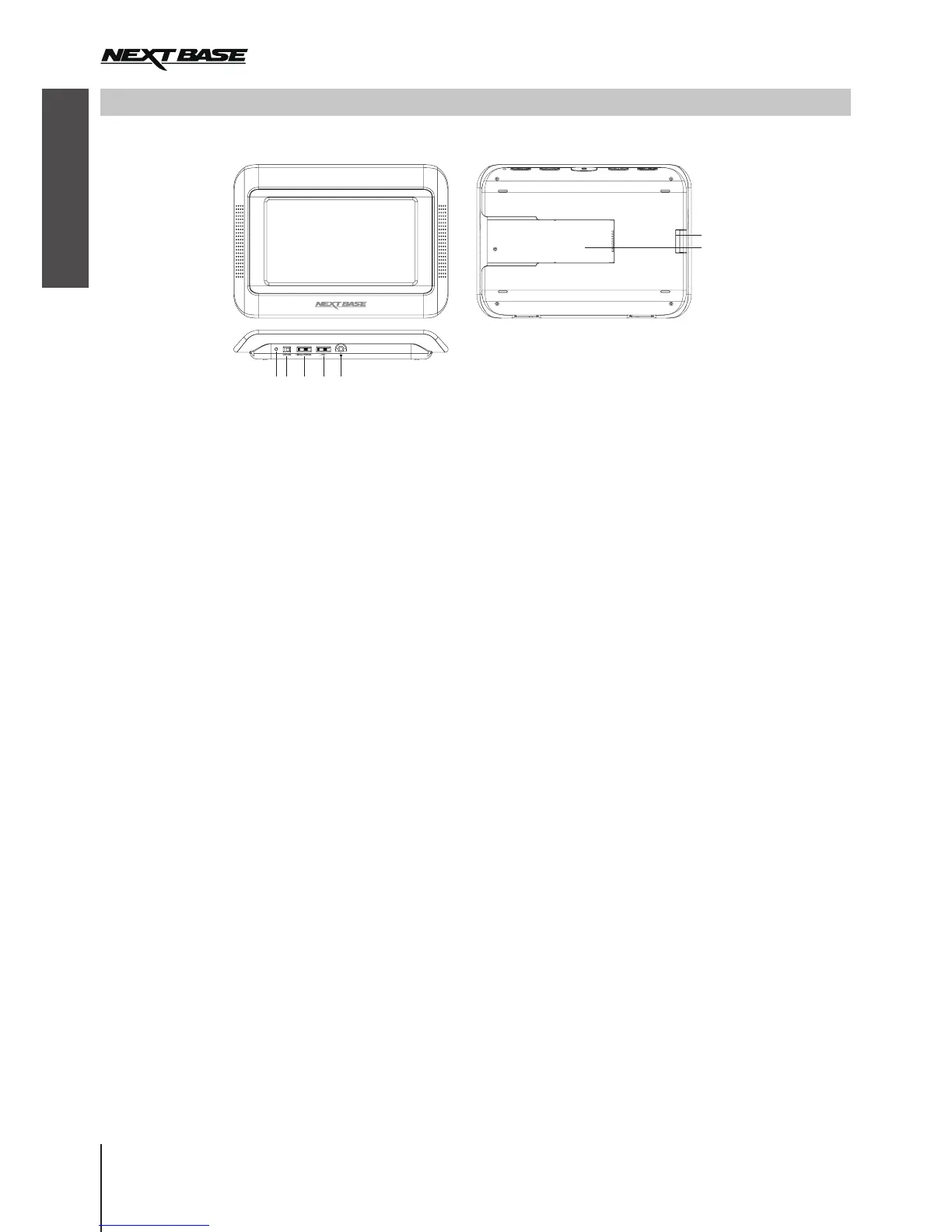
MONITOR FUNCTIONS
Supplied with Click Lite Duo only, to show the same movie as the main DVD player.
6
7
2 41 53
Note: The Monitor will not work unless it connects to the Player by the Stanchion Mount and Cable Yo Yo correctly.
1. LED indicator
Green light when the player is on.
2. ON/OFF switch
Turn on/off the unit.
3. Brightness wheel
Adjust screen brighter or dimmer.
4. Volume wheel
Adjust volume up and down.
5. Earphone jack
Connect earphones or amplier here.
6. Lock
Lock/unlock the Click&Go Stanchion Mount.
7. Slot
Connect to the backplate ridge of Click&Go
Stanchion Mount.


 To Next Page
 Loading...