9
VOX SELECTION
These devices are capable of voice-activated (VOX) control.
This means the walkie-talkie will transmit any sound it picks up
without pressing the TALK button-as such, it is recommended
that VOX Mode not be used in a noisy or windy environment.
ENTER VOX MODE
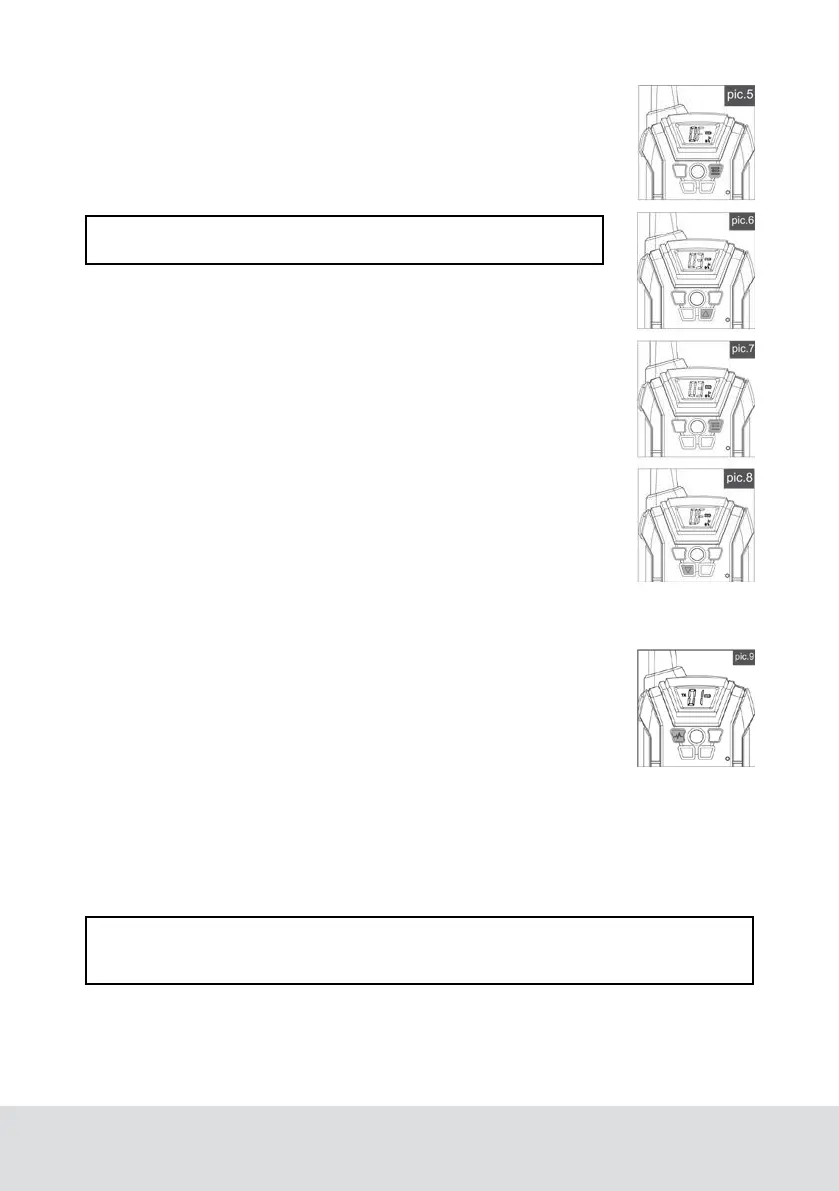
Press the Menu button 3 times and the current VOX setting will
flash on the LCD screen along with the « icon (See pic.5).
Press the up button to set VOX sensitivity between 1 and 3 - the
higher the number, the more sensitive the microphone (See pic.6).
Press the TALK button to confirm.
CANCEL VOX MODE
Press the Menu button 3 times and the current VOX setting will
flash on the LCD screen along with the « icon (See pic.7).
Press the down button until you see” OF” to turn off VOX Mode
(See pic.8).
Press the TALK button to confirm and return to Standby Mode.
CALL FUNCTION
A call function alerts others that you want to start talking.
Press the call button to call the walkie-talkie of the same
channel (See pic.9).
BUTTON LOCK
Press and hold the MENU button for 2 seconds to activate and deactivate Button
Lock Mode. This locks all buttons except for the CALL button and TALK button, and
the Button Lock icon will show on the LCD screen.
Cancel Lock Mode, press and hold the MENU button for 2 seconds.
NOTE: VOX Mode is overridden when you press the TALK button.
NOTE: In Lock Mode, all buttons will have no function except for CALL button and
TALK button.
DISPLAY BACKLIGHT
Pressing any button will activate the LCD back-light.



 To Next Page