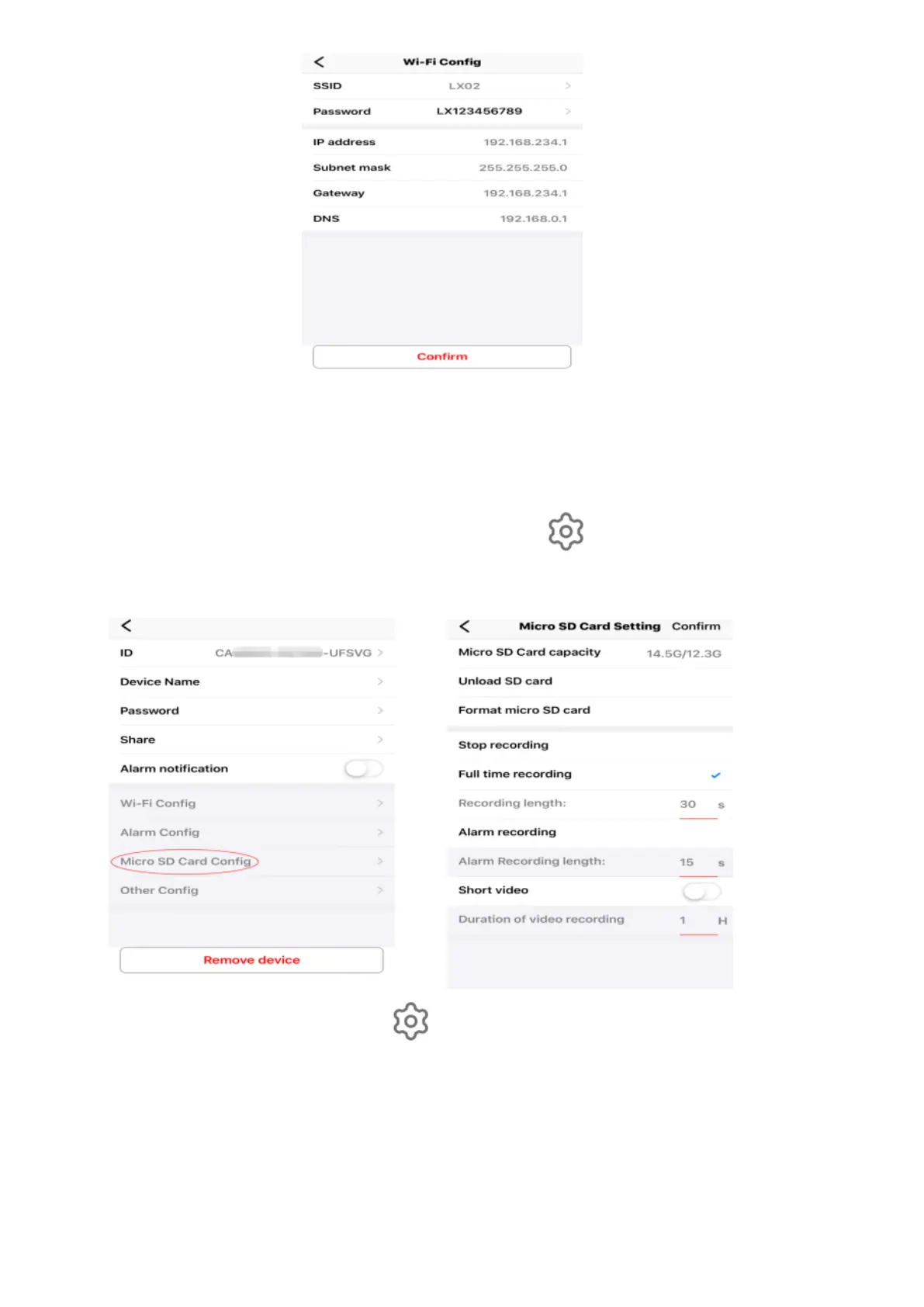
After clicking "confirm", the camera will automatically restart (about 30
seconds, when the camera shows "online", so that remote access can be
made.
Memory Card Video Settings: Click on the icon to enter "Micro SD
Config", which can set the mode of memory card video and screen size, as
follows:
Alarm Settings: Click on the icon to enter the "Advanced Configuration" and
then to "Alarm Configuration", you can turn on or off the mobile detection alarm,
as shown below.
The menu can be popped up by clicking on the screen when the camera is
watching on the mobile phone. The main menu options are shown in the figure
below.


 To Next Page