6
SETUP:
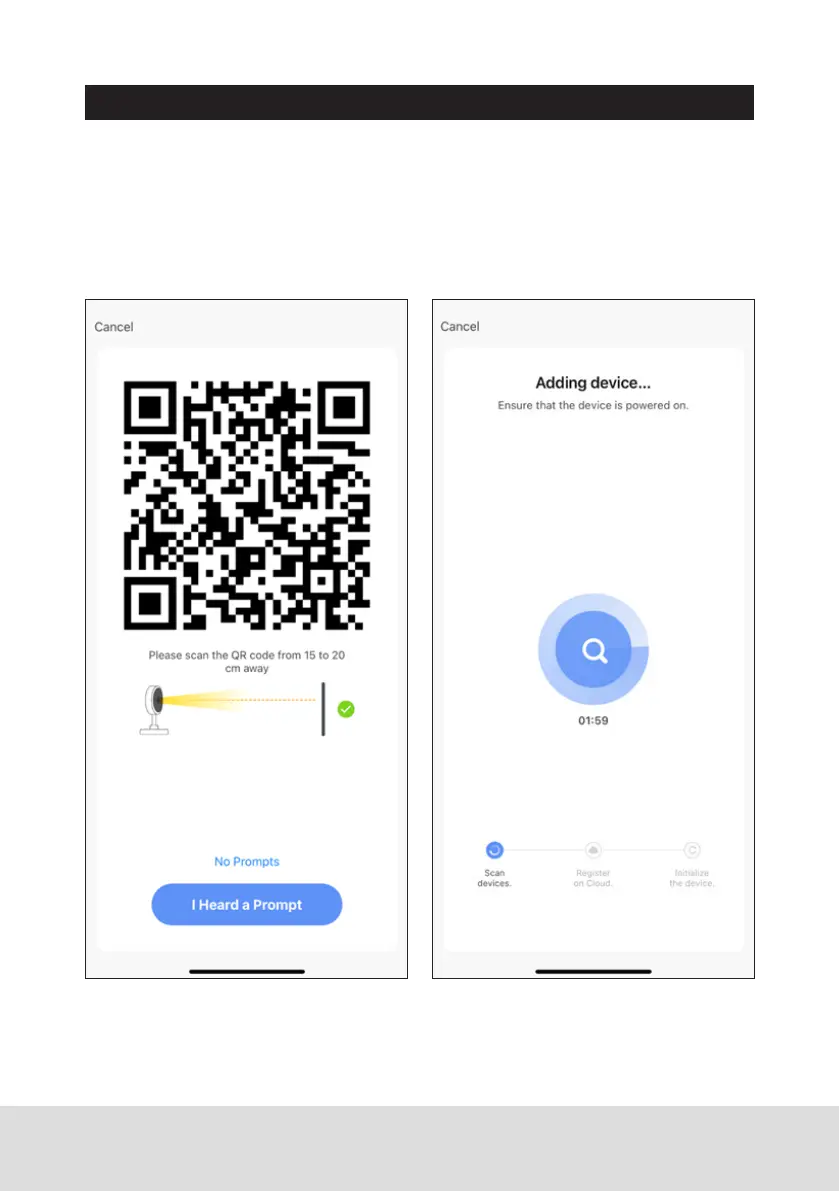
Scan QR Code
With the doorbell still powered on, face the QR shown on the App in your
phone towards the camera until a chime is heard. Press the “I Heard a Prompt”
button to begin the pairing process.
The device will begin linking to the app and may take a few minutes. Once
complete, the device is setup and ready to use.


 To Next Page