7
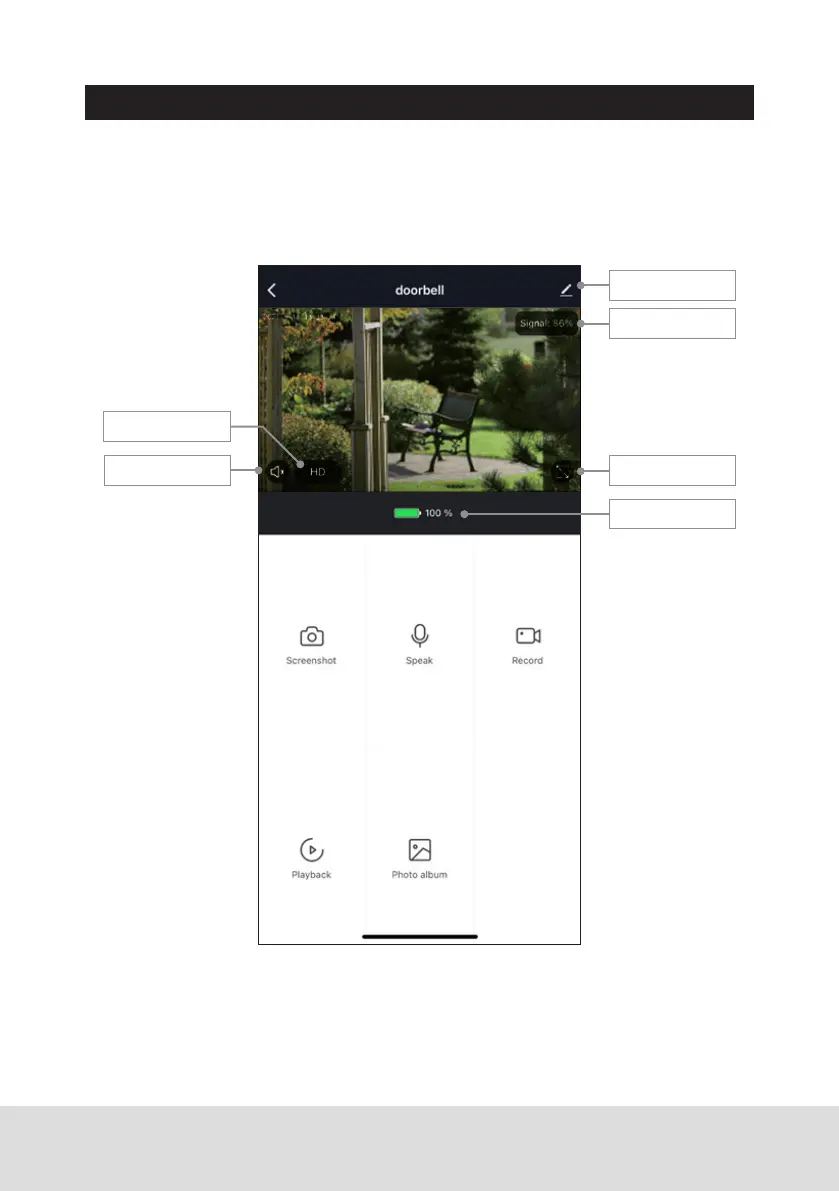
USING THE APP:
When the doorbell is rung via the button on the unit, a notification will be
sent to the App. Within the app, press the “Monitor Switch” button to enable
talk and then press & hold the “Speak” button to talk through the door phone.
Recorded photo & video can also be played back, providing an SD card has
been installed.
Monitor Switch
Preview Mode
Full Screen Mode
Remaining Battery
Device Settings
Signal Strength


 To Next Page