EasyManua.ls Logo

Nextech QC3886 - User Manual

Nextech QC3886
12 pages
Print Icon
To Next Page IconTo Next Page
Loading...
Instruction Manual
QC3886
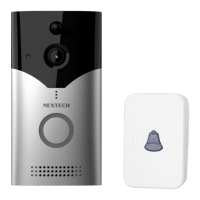
1080p Smart Wireless
Doorbell + Chime
Question and Answer IconNeed help?

Do you have a question about the Nextech QC3886 and is the answer not in the manual?

Summary

Box Contents

Product Diagram

Setup Guide

Install App

Instructions for downloading and installing the "Smart Life" app and registering an account.

Add Device

Steps to add the doorbell in the "Smart Life" app via manual selection.

Reset Device

Procedure to reset the doorbell and ensure it's in pairing mode before setup.

Setup WiFi

Connecting the doorbell to a 2.4GHz Wi-Fi network and entering the password.

Scan QR Code

Pairing the doorbell with the app by scanning a QR code displayed on the phone.

Using the App

Product Specifications

Summary

Box Contents

Product Diagram

Setup Guide

Install App

Instructions for downloading and installing the "Smart Life" app and registering an account.

Add Device

Steps to add the doorbell in the "Smart Life" app via manual selection.

Reset Device

Procedure to reset the doorbell and ensure it's in pairing mode before setup.

Setup WiFi

Connecting the doorbell to a 2.4GHz Wi-Fi network and entering the password.

Scan QR Code

Pairing the doorbell with the app by scanning a QR code displayed on the phone.

Using the App

Product Specifications

Nextech QC3886 Specifications

General IconGeneral
BrandNextech
ModelQC3886
CategoryIntercom System
LanguageEnglish